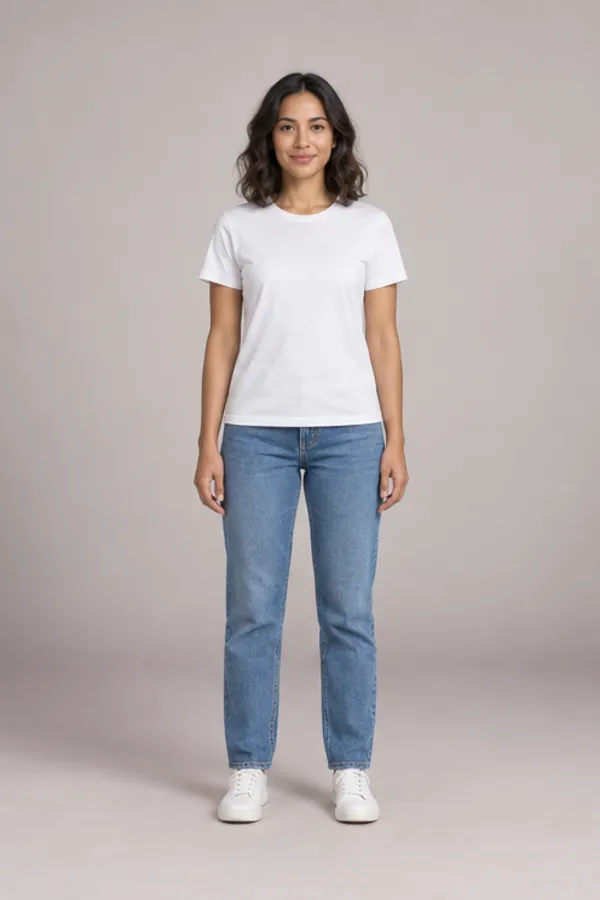
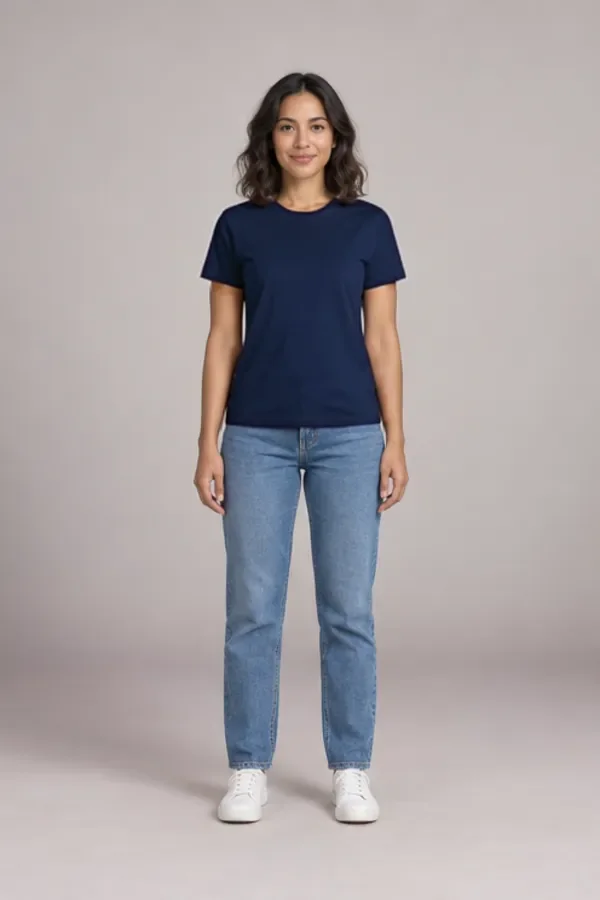
This clothes color changer recolors one piece of clothing in your own photo, a top, bottoms, a dress or a jacket, and leaves the rest of the picture as you took it. Choose from 31 named shades, four season palettes or an exact hex code. The eight sample colors on Ava are always free to look at.
- Top, bottoms, dress or jacket
- Hex codes and season palettes
- Stripes and prints kept
- Face and background untouched
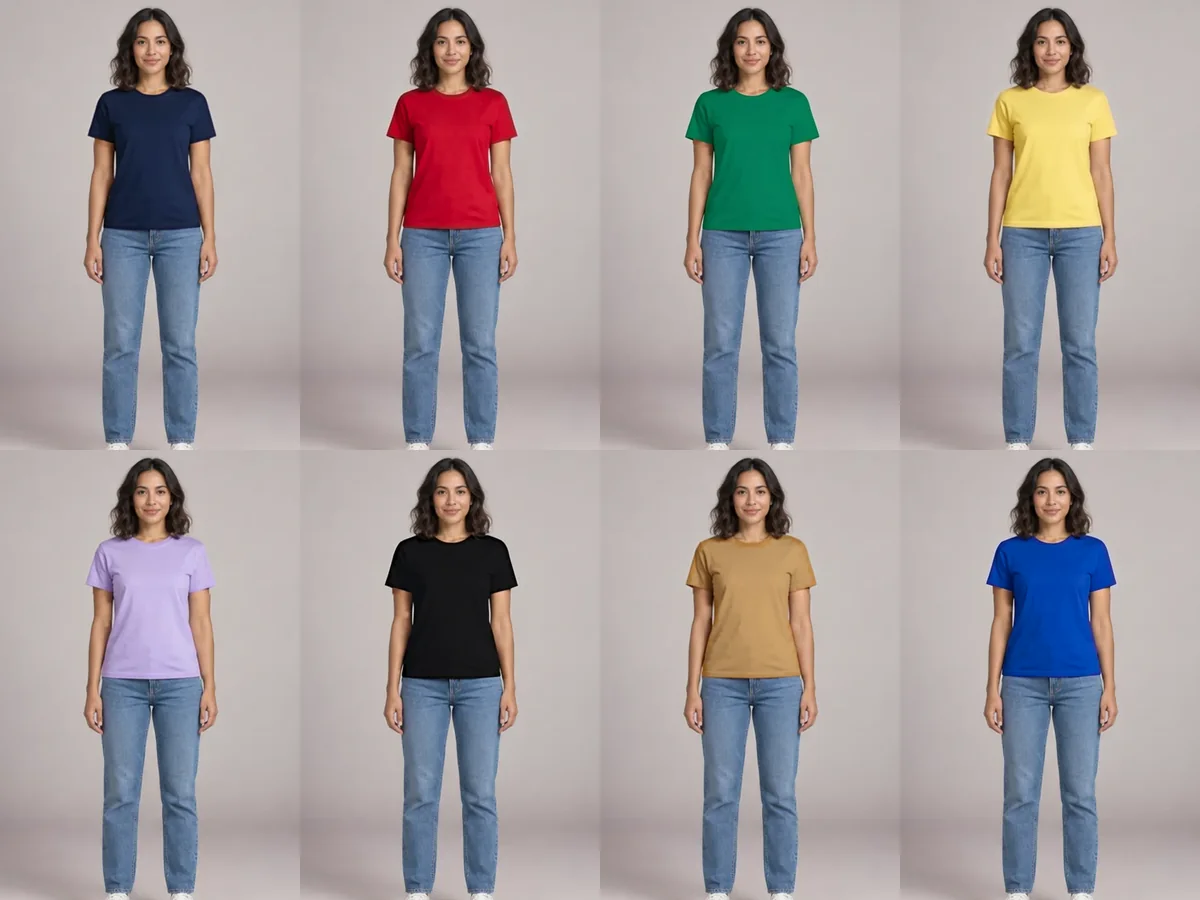
One tee, eight colors from the clothes color changer
Tap a color before you upload anything. Each picture is a real result from the clothes color changer on our sample model, made by the same steps your photo goes through, so the sample shows the quality you will get.
Stripes, satin and dark wool: hard fabrics in the clothes color changer
A simple tint can turn a white T-shirt pink. It can’t keep thin stripes crisp, keep satin shiny or lift charcoal wool to camel. These three results show what the AI does instead.
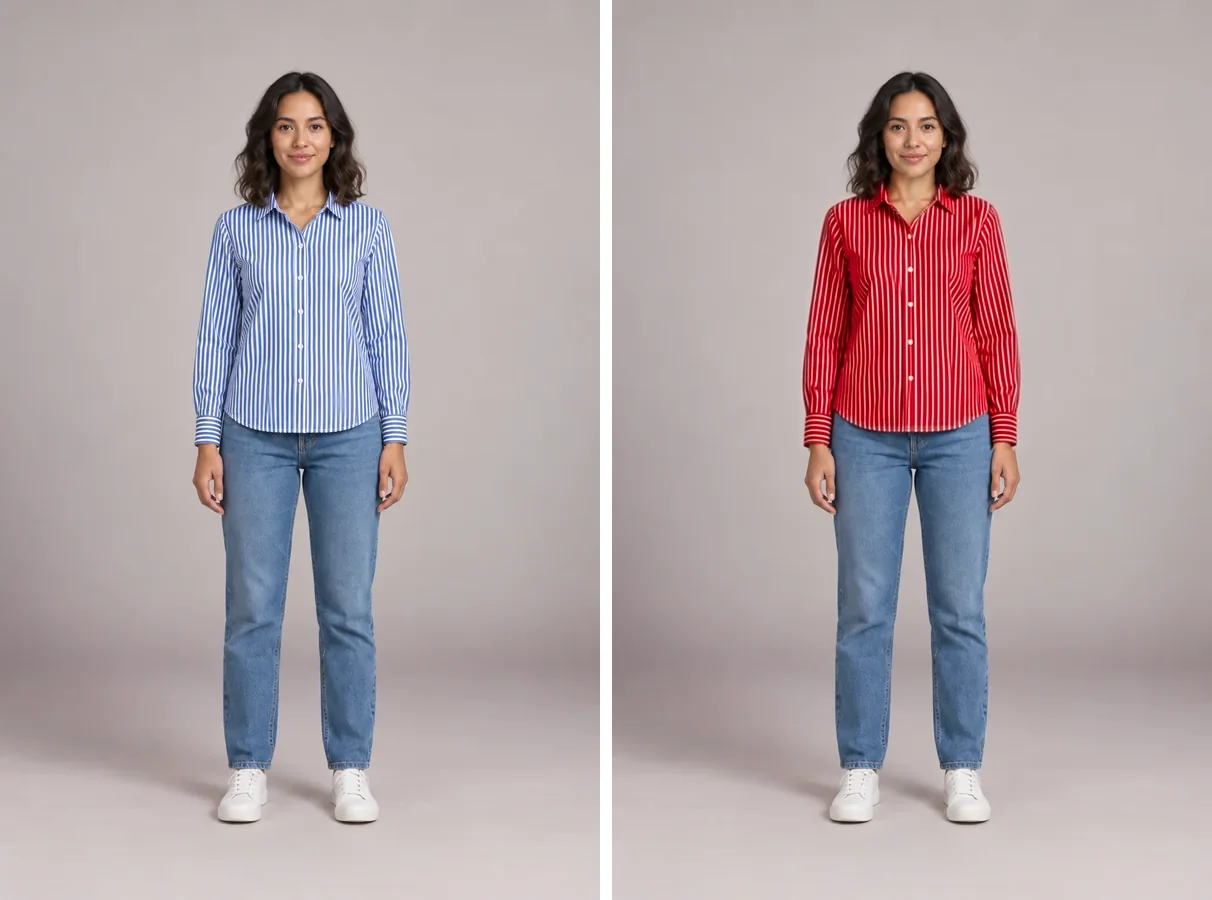
Stripes stay stripes
The blue in this striped button-up became red, while the white stripes, buttons and collar stayed put. Before recoloring, the clothes color changer names the garment, here a blue and white striped shirt, so the model knows there is a pattern to keep.
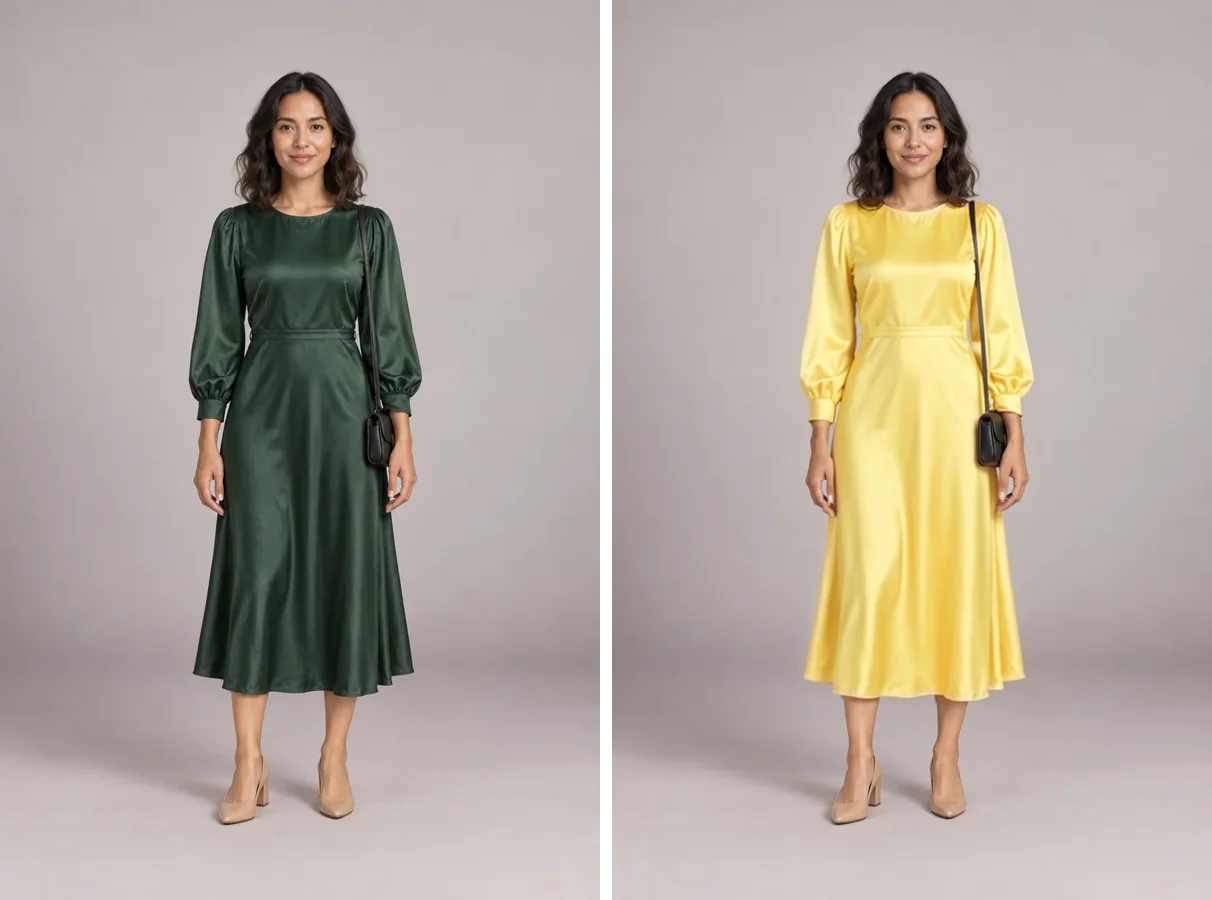
Satin keeps its shine
Shiny fabric is where cheap recolors look painted on. In the clothes color changer the green satin dress came back butter yellow with the same highlights running down the skirt, and the bag on her shoulder kept its black leather.
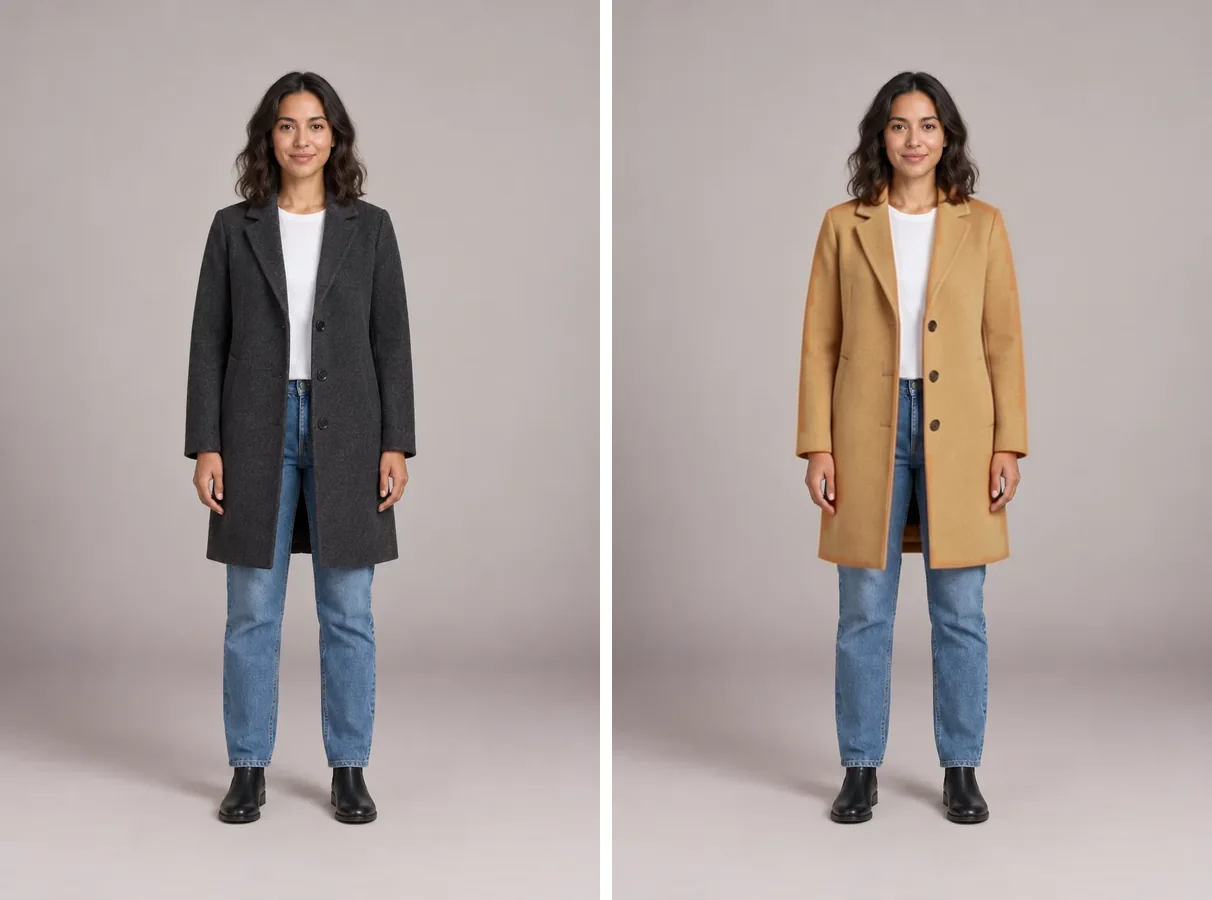
Dark to light works too
Going from near black to camel is the move a filter can’t make, because it can only darken. The clothes color changer rebuilds the wool in the lighter shade, and the white tee under the open coat stays white because it is named as a separate layer.
Season palettes in the clothes color changer: shades that flatter you
Seasonal color analysis sorts shades into four families that suit different skin, hair and eye combinations. Tap any swatch to load it into the clothes color changer and judge it against your own face.
Spring
Warm and clear: coral, warm turquoise, golden yellow, peach and leaf green.
Summer
Cool and soft: lavender, baby blue, dusty rose, sage and slate blue.
Autumn
Warm and muted: rust, mustard, olive, deep teal, camel and burgundy.
Winter
Cool and vivid: true red, cobalt, emerald, black, white and fuchsia.
Not sure which season you are? ColorSeasonAI reads it from a selfie for free, from the same team.
Hair color changes how a shade reads too. Preview dye colors live on your camera with the hair color try on and come back with your new shade in mind.
Using a clothes color changer before you buy
Shops often photograph a product in one color and show only small swatches for the rest. This is how to change clothes color in a photo of yourself and see the other colorway first.
- 01Upload a photo of you in something with the same shape: a plain tee for a T-shirt, any jeans for jeans, any coat for a coat.
- 02Copy the hex code from the shop’s swatch if it shows one, or pick the nearest named shade.
- 03Change one color at a time in the clothes color changer, then flip between them with the color chips under the result.
- 04Still torn? Put two to four versions in a vote link with Ask friends to vote. Friends vote without an account.
Want to see the real product on you, not just its color? Put the store photo itself on your picture with virtual try on instead.
One product photo, every colorway, with the clothes color changer
Small shops can show a top in every color they stock without a reshoot for each one. Shoot your best seller once, then make the other colors in the clothes color changer and check them side by side. Commercial use comes with Pro; only use photos you own, with the model’s consent.
See what each plan includes, and how many color changes a month of credits makes, on the pricing page .
Why the clothes color changer leaves your face exactly the same
Image AI redraws the whole frame, so a full-length photo can come back with a face that is close to yours but not quite. The clothes color changer compares the AI version with your original, finds the garment that changed and pastes only that area back onto your photo.
Your face, hair, background and the clothes you didn’t pick keep their original pixels at full sharpness. Inside the garment, the clothes color changer then nudges the new color toward the exact hex you chose, while white or neutral parts of a pattern stay as they are.
Your photo is checked for safety and used only to make your result, which stays in your history for 30 days. Details are in the privacy policy .
Before you upload: common questions
Is the clothes color changer free?
The eight sample colors on Ava are free for everyone. A color change on your own photo uses 5 credits; when the button shows Free, that one costs nothing. New accounts get 10 credits, each daily check-in adds 2, and failed runs are refunded.
Can I change just one piece of clothing?
Yes. In the clothes color changer, choose Top, Bottoms, Dress or Jacket and only that piece changes. If you pick a top under an open jacket, the jacket keeps its color, and the other way around.
Will it keep stripes, prints and logos?
Stripes, checks and larger prints keep their shape, and their white or neutral parts stay as they are. Fine text and small logos can soften a little, so check those before you share.
Can I turn a black shirt white?
Yes. Unlike a color filter, the AI rebuilds the fabric in the lighter shade, so black to white or charcoal to camel works. Very large jumps can change the fabric’s look slightly; compare with the slider.
How exact is a custom hex color?
Close. Enter any hex code and the result is nudged toward it after the recolor, but light, shadow and fabric shift how any color looks in a photo, just as they do in real life.
Does it work on any photo?
The clothes color changer works on any clear photo of an adult in everyday clothes, full length or half length. One person per photo gives the best result. Swimwear, underwear and revealing edits are refused.
Do results have a watermark?
Free results are up to 768 px with a small weartryon.com mark in the corner. Any purchase, a plan or a credit pack, removes it and gives you full-size results.
More ways to change what you wear
Pick a color and see it on you
Upload a photo, choose the piece and the shade, and see the clothes color changer’s result next to your original in seconds.
Change a color now