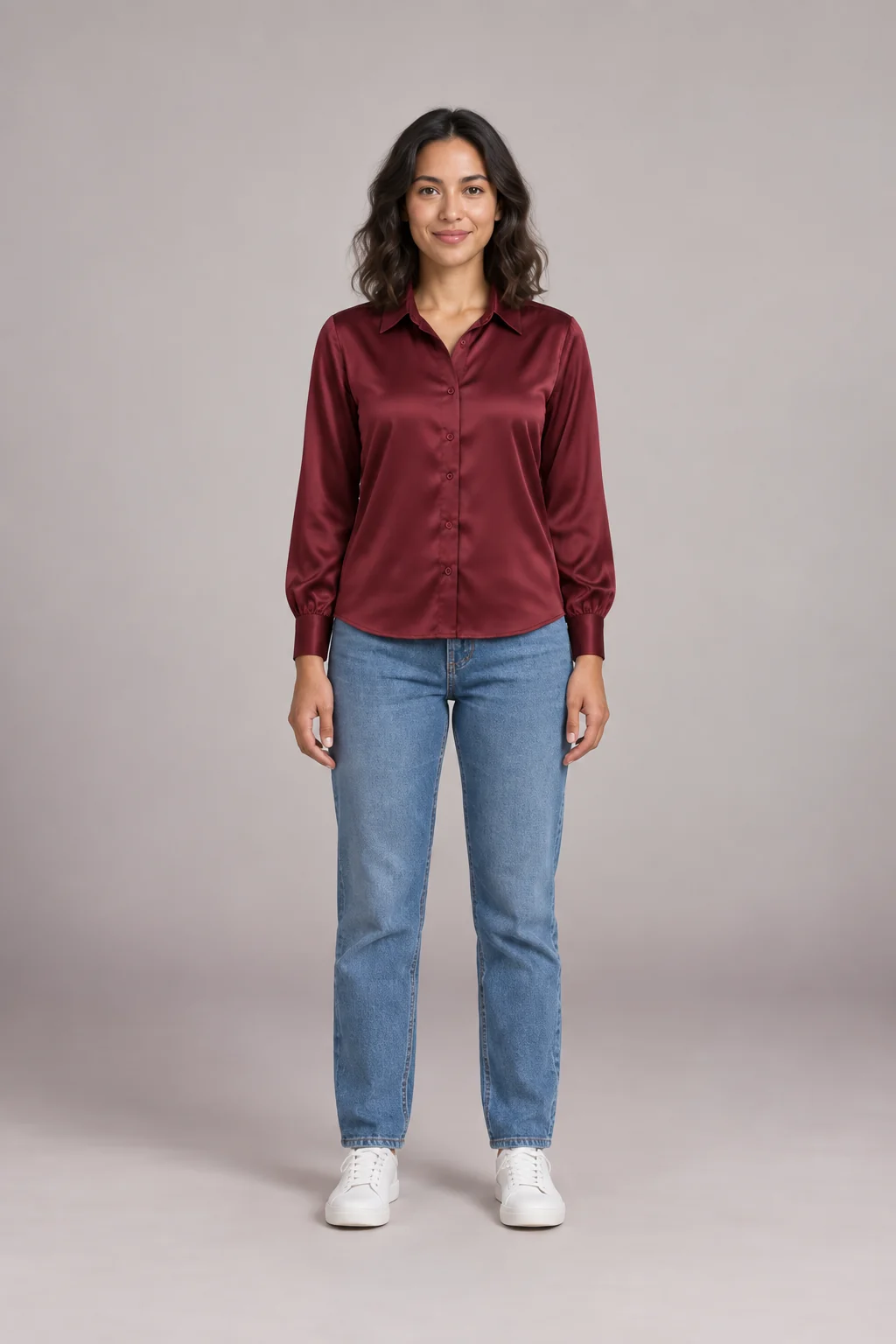
“Rate my outfit” is the question to ask before you head out. Our AI outfit rater looks at your photo the way a stylist would and gives you a score out of 10 with the one change worth making first. Your first AI outfit rater checks need no sign-up, and the photo is never stored.
- Score out of 10
- 8 occasions
- Compare up to 4 looks
- Photos never stored
What the AI outfit rater scores
The AI outfit rater judges every photo on four areas. The overall number is a weighted average of them, with the occasion counting most, so it always matches the bars on your scorecard.
Color harmony
Do the shades sit well together and with the setting? Clashing undertones, too many competing brights or an all-dark look that hides every detail all cost points.
Fit and proportion
How the garments fit, not how you look: sleeve and hem lengths, a jacket that pulls at the button, or a top and bottom that are both oversized and fight for volume.
Style cohesion
Whether the pieces tell one story. Running shoes under tailoring or a bag from a different outfit break it; a repeated color or texture ties it together.
Occasion match
The same jeans can be right for brunch and wrong for an interview. Pick the occasion and the AI outfit rater scores the look against it.
How to use the AI outfit rater
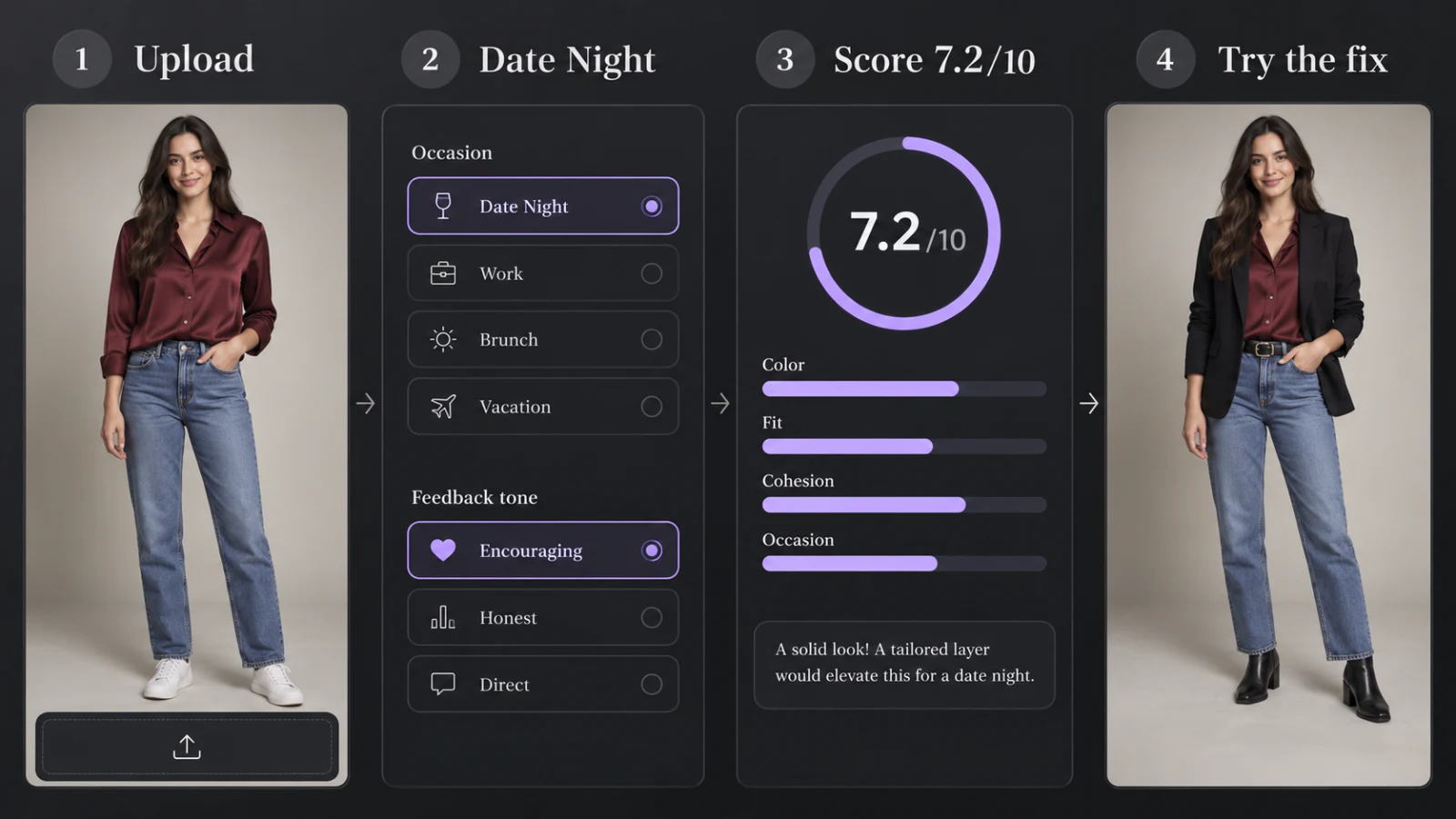
- 01
Add a photo
A full-length mirror selfie or a shot someone took of you works best: shoes in frame, decent light, one person. Laid-out clothes work too.
- 02
Pick the occasion and tone
Choose from eight settings, from office to wedding guest, then decide how direct the feedback should be: gentle, honest or brutally honest. Then tap Rate my outfit.
- 03
Read your scorecard
Within about ten seconds the AI outfit rater returns the overall score, four sub-scores with notes, what already works and the fix to make first.
- 04
Try the fix
Save the scorecard as an image, or send the photo to the AI Clothes Changer and see the suggested piece on you before you change.
Photos the AI outfit rater reads best
An AI outfit rater can only judge what it can see, so check your photo before you hit Rate my outfit: a clear shot scores fairer than a dim, cropped one.
Rates well
- Full-length mirror selfies with your shoes in frame
- A photo taken by a friend, standing straight on
- Daylight or a bright room, without heavy filters
- Clothes laid out flat, if you are planning an outfit
Confuses the rater
- Crops at the waist that hide trousers and shoes
- Group photos, where it can’t tell whose outfit to rate
- Dark rooms, strong colored lights or beauty filters
- Coats held over an arm instead of worn
When an AI outfit rater helps most
Before a job interview
Use the AI outfit rater to check that the look reads polished for the role, not stiff or too casual, and fix the detail that would distract.
Choosing between two looks
Compare up to four photos in one go. The AI outfit rater ranks them for the occasion and names a best pick.
Wedding guest and formal dress codes
Find out whether the outfit sits on the right side of the dress code before you are standing at the venue.
Date night
Pick the brutally honest tone, hit Rate my outfit and see whether the look feels effortless or overdone, and which swap would fix it.
Before posting a fit check
Before you ask strangers to rate my fit, run your OOTD past the AI outfit rater and post the version with the higher score.
Before the return window closes
Rate a new buy with the clothes you already own to see whether it earns a place in your wardrobe.
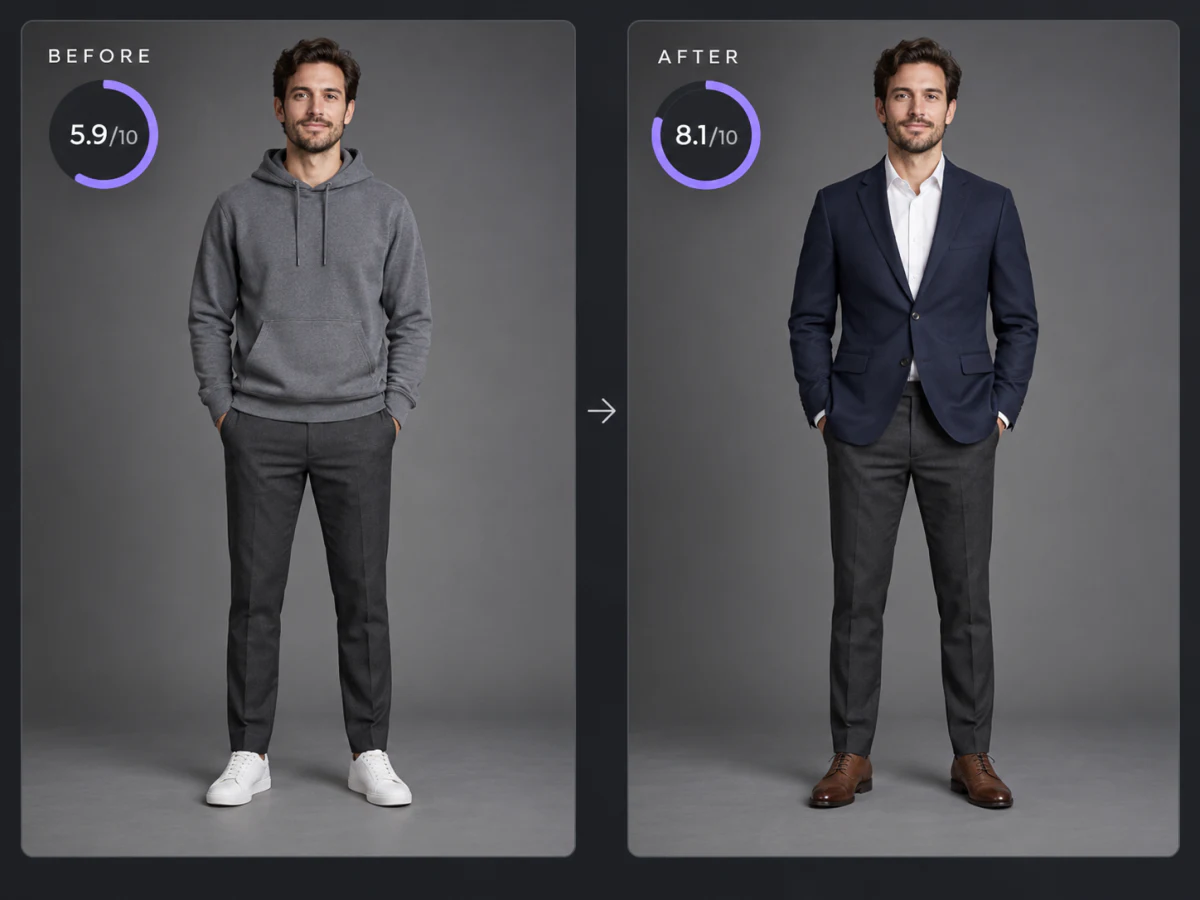
Turn a low score into a better outfit
A score tells you what is off; seeing the alternative tells you whether it is worth changing. When the AI outfit rater suggests a different piece, send the same photo to our AI Clothes Changer and try the new piece on yourself in seconds, then rate the result again.
- Your photo goes across in one click, no second upload
- Try our sample clothing or a photo of something you own
- Run the new version through the AI outfit rater to see if the score climbs
- Trying clothes on uses credits, like ratings past your free ones
Ways to raise your AI outfit rater score
- 01Repeat one color twice — a belt that matches your shoes, or a scarf that picks up a shade from your shirt.
- 02Balance volume: when one piece is loose, keep the other closer to the body.
- 03Match the formality of your shoes to your top half; sneakers under a blazer need to be clean and minimal.
- 04Check the lengths: trousers that just touch the shoe, sleeves that end at the wrist bone.
- 05Add a third piece, like an overshirt, cardigan or jacket, to make a plain top and bottom look finished.
- 06Keep it to one statement item, so the eye knows where to land.
Want to test a whole new look instead of one fix? Load three pieces at once in the outfit changer and rate the result again.
Saw an outfit that would score higher? Put it on your photo with an AI outfit swap and rate the new look.
AI outfit rater vs asking friends to rate my outfit
Each kind of second opinion has a place. Here is how they compare when you are standing in front of the mirror.
| AI outfit rater | Friends or group chat | Online forums | Personal stylist | |
|---|---|---|---|---|
| Speed | About 10 seconds | Whenever they reply | Hours, if anyone answers | By appointment |
| Honesty | Your choice of tone | Often too kind | Can be harsh | Professional |
| Knows the occasion | Yes, 8 settings | If you explain | If you explain | Yes |
| Cost | Free daily ratings | Free | Free | Paid per session |
| Privacy | Photo never stored | Stays in the chat | Public post | Private |
What our AI outfit rater never judges
Fit means the fit of the clothes. The AI outfit rater is told to ignore everything about you as a person, and answers that slip through are filtered out.
What it rates
- Colors and how they combine
- Garment fit, lengths and proportions
- Shoes, bags and accessories
- How well the look suits the occasion
What it ignores
- Your body, weight or shape
- Your face, skin, hair or age
- Whether you are “attractive”
- Brands and how much things cost
The AI outfit rater sends your photo to the model, rates it and drops it: we don’t save it or use it for training. Signed-in users keep only the score, the occasion and a one-line summary in their style log. Photos of minors, swimwear, underwear and nudity are rejected and never rated.
AI outfit rater FAQ
Is the AI outfit rater free?
Yes, every day. You get 1 free rating without an account; signing in is free and gives you 3 free ratings a day, compare mode and a style log. After that, each extra photo costs 1 credit, and new accounts start with 10 welcome credits.
How does the AI outfit rater work?
A vision AI model looks at the photo and scores color harmony, fit and proportion, style cohesion and occasion match from 1 to 10. The overall score is their weighted average, with the occasion counting most.
How accurate is an AI outfit rater?
It is consistent and specific, but style is personal, so treat it as a second opinion. Scores can move about half a point between runs.
Can I rate my outfit for a specific event?
Yes. Pick one of eight occasions, from office to wedding guest, and the AI outfit rater judges the look against it.
Can the AI outfit rater compare outfits?
Yes. Sign in, switch to Compare and add two to four photos. Each one gets its own scorecard, and the highest-scoring look for your occasion is marked as the best pick.
Does it judge my body or appearance?
No. The AI outfit rater only rates clothes, shoes and accessories. It is instructed never to comment on your body, face, skin, hair, age or attractiveness, and such comments are filtered out.
Are my photos stored?
No. Photos are resized in your browser, rated and discarded. Signed-in users keep only the score and a short summary in their style log.
Why wasn’t my photo rated?
The AI outfit rater only rates photos of one fully clothed adult, or clothes laid out on their own. Group shots, minors, swimwear, underwear and photos too dark to read are turned down and don’t use a free rating or credits.
More free style tools
AI Clothes Changer
Swap one piece of clothing in any photo
Outfit Changer
Change the whole outfit in one photo
Outfit Swap
Copy a whole look from one photo onto yours
Virtual Try On
Try items from any store before you buy
Live Try On
Try clothes on live in your camera
Hairstyle Try On
Try new haircuts on your own face
Glasses Try On
Live camera frames, face shape and PD
Hair Color Try On
See new hair dye colors live, free
Makeup Try On
Lipstick, blush and shadow live, free
Halloween Costume Generator
See yourself in 12 costumes, first one free
Guides
How-tos and honest reviews of try-on tools
Get an honest second opinion
Upload a photo to the AI outfit rater, pick where you are going and tap Rate my outfit to see your score in seconds. Your first rating is free, no sign-up needed.
Rate my outfit