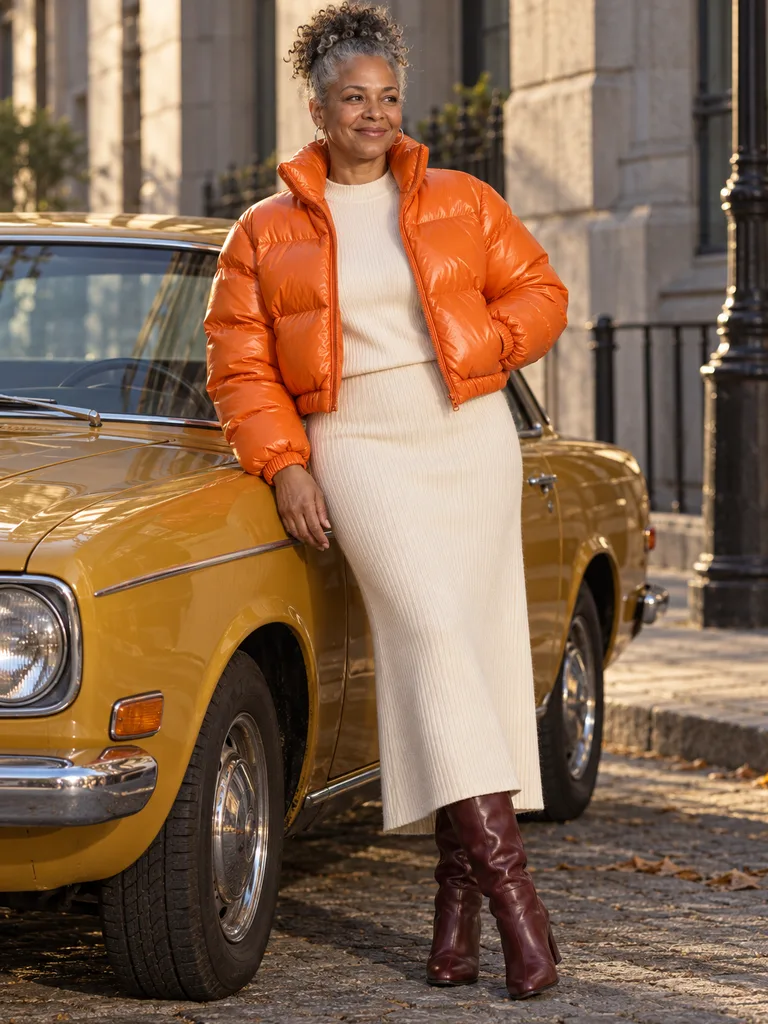
A tangerine puffer against old stone
A cropped, glossy puffer over a long cream knit skirt and burgundy boots. Grey stone and low sun let the one bright piece do the talking.
In this look
- Nia
- Cropped puffer
- Stone street
 Illustration
Seedream 5.0 is ByteDance’s model for making and editing pictures from words and photos. Here it works on your own photo: Lite for quick everyday edits, Pro when the details have to carry over.
The clothing (optional)
Settings
Version
Aspect ratio
By continuing, you agree to our Terms and Privacy Policy.
Both versions read your words and up to four photos and return a 2K image. They differ in how hard they hold on to the details you hand them, and in price.
| Feature | Seedream 5.0 Lite | Seedream 5.0 Pro |
|---|---|---|
| Best for | New outfits, colors and backdrops, quick ideas | Your own face, a real product’s cut, print and buttons |
| How it follows your photos | Close; small details may be simplified | Closest; built for precise edits |
| Photos per run here | Up to 4 | Up to 4 |
| Result size | 2K, eight aspect ratios | 2K, eight aspect ratios |
| Credits per image | 15 | 45 |
| If a run fails | Credits come back on their own | Credits come back on their own |
Start on Lite; switch the Version in Settings to Pro when a print, a stripe or your face has to match exactly. Need one named thing changed and the rest left alone? Try Grok Imagine Image 2.0.
Seedream 5.0 numbers your photos in the order you add them. Point at each one by number and it knows which is you and which is the piece to wear.
Add your own photo first, or tap Sample person. Head-to-knee or full length works best; Seedream 5.0 needs to see the body the new clothes go on.
Pick pieces in The clothing or upload a shop photo. A flat lay or a product shot on a plain background gives Seedream 5.0 the cleanest read of the cut and color.
“The jacket from image 2 on the person in image 1, leaning on a car on a stone street” is enough. Choose Lite (15 credits) or Pro (45) and press Create with Seedream 5.0.
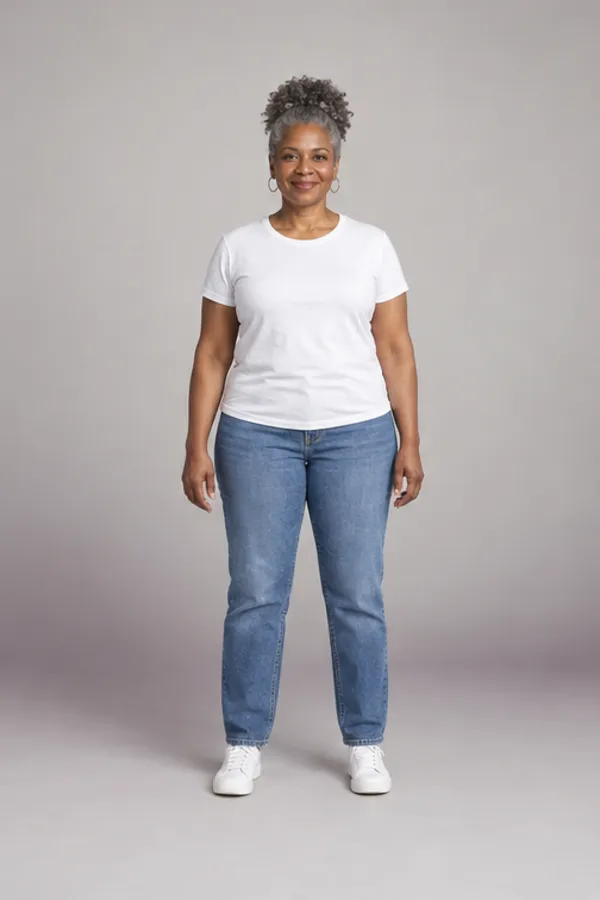
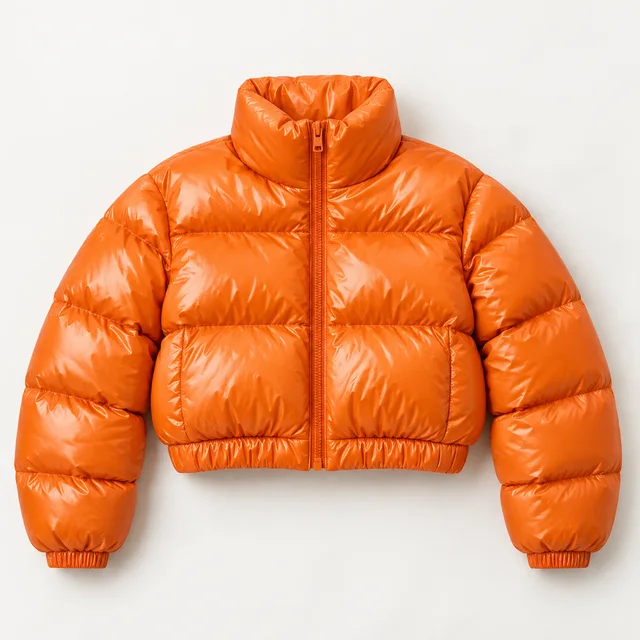
The worry with any image model is that you come back looking like someone else. Every request here carries rules that keep you as you are, and your words and pictures are checked before a credit is spent.
Pro holds faces and garment details more tightly than Lite, so pick it when the result has to look exactly like you. What we turn away is spelled out in the acceptable use policy.
Each look is an illustration of a request worth sending, written out in full. Load it and the panel fills with the sample person and those words; put your own photo in as image 1 before you run Seedream 5.0.
A cropped, glossy puffer over a long cream knit skirt and burgundy boots. Grey stone and low sun let the one bright piece do the talking.
In this look
IllustrationNo. ByteDance’s Seed team makes Seedream 5.0; WearTryOn is an independent site that sends your request to the model and shows you what comes back.
Lite is the quicker, lower-cost version and handles most outfit, color and backdrop edits. Pro is built for precise editing and holds faces and garment details more closely. Here Lite is 15 credits an image and Pro is 45.
All three use the same panel. Seedream and Nano Banana offer 2K outputs; GPT Image lets you choose dimensions. Seedream 5.0 Lite costs 15 credits per run. Nano Banana 2.1 costs 20 credits; compare details such as buttons and cuffs on the same reference photos. GPT Image 2.5 offers Sunburst and Flare; its High preset at 1024 × 1024 costs 70 credits, with other settings quoted in the panel. Sketch the look on Lite, then rerun the keeper on the model you trust most.
For a quick idea, no: Lite gets the outfit, color and setting right and costs a third as much. Pro pays off when the photo is going somewhere, such as a listing, a profile picture or a print, and the stripes, buttons and your face all have to match what you sent. A good habit: try the look on Lite, then run the keeper on Seedream 5.0 Pro.
No. Each run uses credits and needs any plan or credit pack on the account, because every image is billed to us. Sign-up and check-in credits stay for our other tools.
No. The API accounts and keys sit on our side; you only need a WearTryOn account with any plan or pack, then one sentence in the box.
Up to four: your photo first, then up to three pieces of clothing. The model itself accepts more, but a person plus three pieces is what a clean outfit edit needs.
Yes. Leave the photos out and Seedream 5.0 draws the whole scene from your description. For a picture of you, your photo has to go in as image 1.
Sources disagree on exact dates. CapCut’s Seedream 5.0 guide places Lite in February 2026 and Pro in July 2026. Both versions run here; the Flash version does not.
Auto keeps the shape of image 1. For a story or a reel pick 9:16, for a feed post 4:5 or 1:1; every shape comes back at 2K on Lite and Pro alike.
Only the checks and the model, for the length of the run; the working copies are then deleted and nothing trains on them. Your Seedream 5.0 results stay in your own History for 30 days.
Weighing Seedream 5.0 against OpenAI’s newest editor? See GPT Image 2.6, which adds a complexity setting to the same panel.
A photo, a sentence and a choice of Lite or Pro. Every result is saved to your History.
Back to the Panel