


In short: this tool lets you add suit to photo online from one selfie or headshot. Pick an occasion or choose the cut, color, shirt, tie and background yourself, and your face, hair and pose stay yours. Each suit costs 5 credits; when the button says Free, your first one costs nothing. It works on a phone or a computer, and results stay in your history for 30 days.
- Eleven cuts for men and women
- Nine colors, seven ties
- Studio or office background
- Up to three suits side by side
Updated
Add a suit and tie to a photo online: what each pick changes
An AI suit photo editor redraws the clothes in your photo as a suit while keeping your face, hair and pose. When you add suit to photo here, an occasion card fills in all five picks at once. Open Your suit to change any of them; the summary line under the cards always shows what you will get.
Cut
Two-piece for most offices, three-piece for a formal or older-fashioned look, double-breasted for presence, a tuxedo for black tie. The womenswear row adds a trouser suit, a skirt suit and a blazer worn over a blouse.
Color
Navy and charcoal suit nearly everyone and read as serious on a small screen. Tan, mid grey and forest green look warmer and less corporate; black is best saved for evening and tuxedos.
Shirt
White is the safe default. Light blue softens a dark suit, pale pink lifts a grey one, and the ivory blouse gives womenswear a softer neckline with no tie.
Tie
Pick one of six colors, a bow tie or no tie at all. With no tie the collar is shown open, one button undone, which suits linen, tan and business casual.
Background
Keep the one in your photo, or swap it for a light grey studio backdrop or a softly blurred office. A new backdrop can widen the shot to a waist-up portrait.
Suit and tie pairings to try when you add suit to photo
The safest pairing for a profile photo is a navy or charcoal suit with a white shirt: the contrast keeps your face the brightest part of a small thumbnail, which is where most profile photos are seen. Tap Try to load any row into the tool above and add suit to photo in that exact pairing.
| Suit | Shirt | Tie | Best for | Try |
|---|---|---|---|---|
| Navy two-piece | White | Burgundy | Interviews, a first LinkedIn photo | |
| Charcoal two-piece | Light blue | Navy | Finance, law, consulting | |
| Mid grey double-breasted | White | Silver | Speaker bios, company pages | |
| Tan linen | White, open collar | None | Summer weddings, creative roles | |
| Black tuxedo | White formal | Bow tie | Galas, black-tie invitations | |
| Black women’s blazer | Ivory blouse | None | LinkedIn, team pages | |
| Navy trouser suit | White | None | Interviews, conference badges |
Which suit color flatters your skin tone is the same question as which shirt color does. ColorSeasonAI reads your color season from a selfie, from the same team.
Already own a jacket in the wrong shade? See it in navy or charcoal with the clothes color changer before you buy a new one.
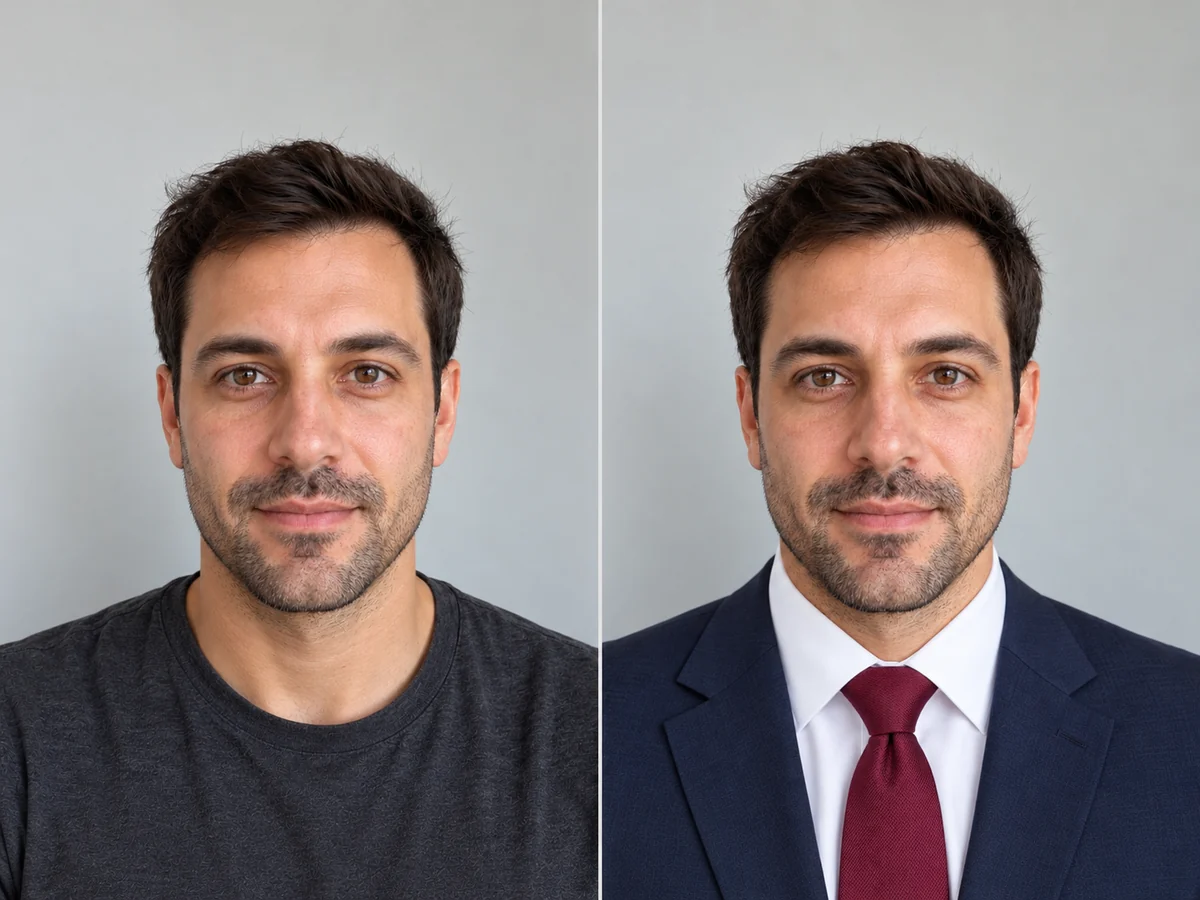
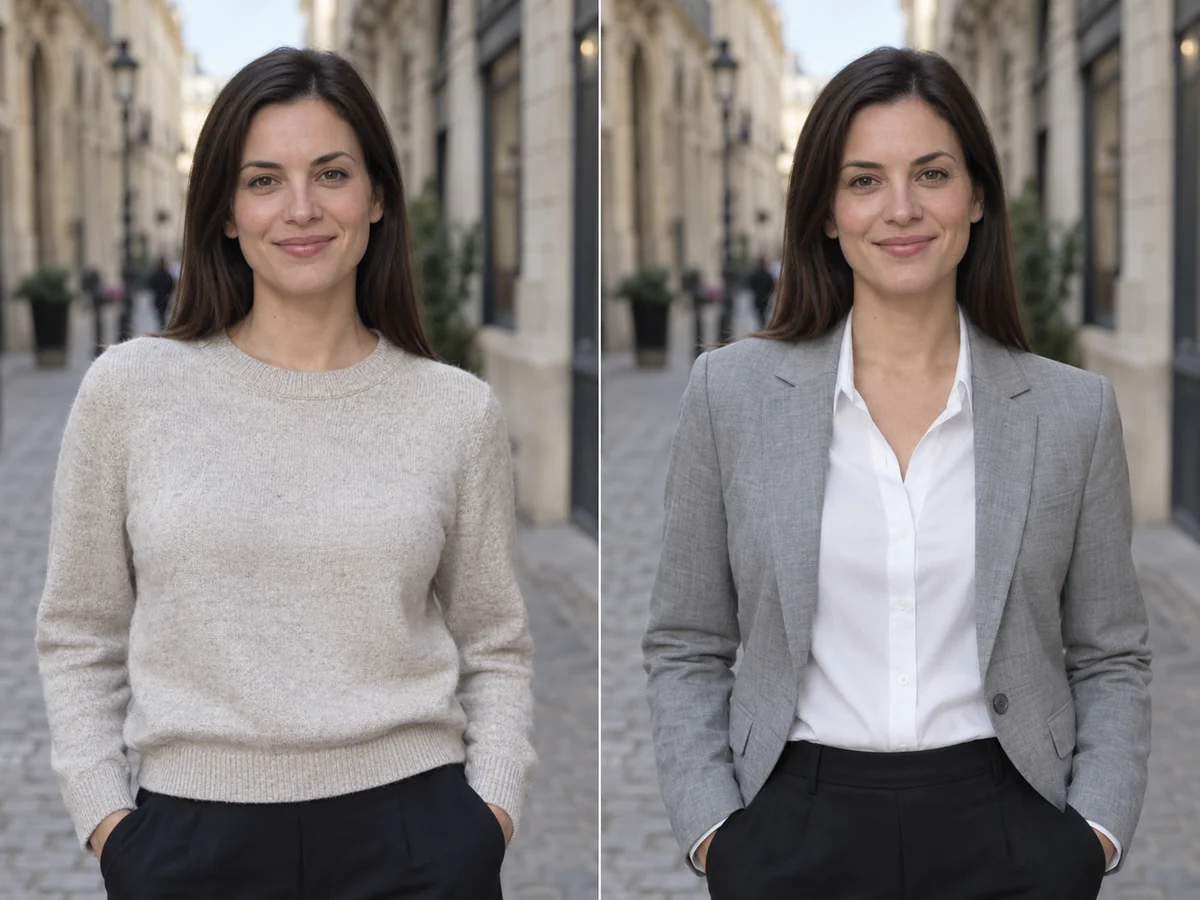
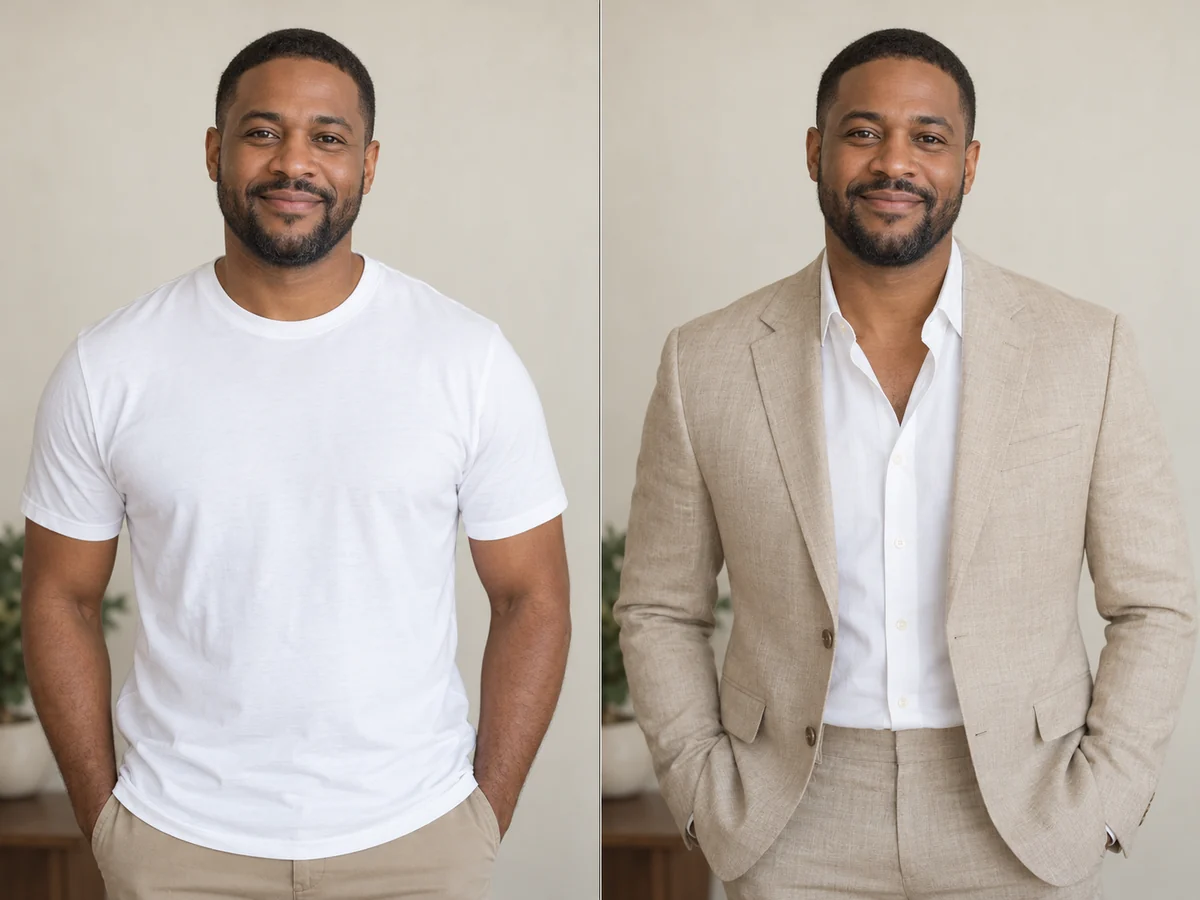
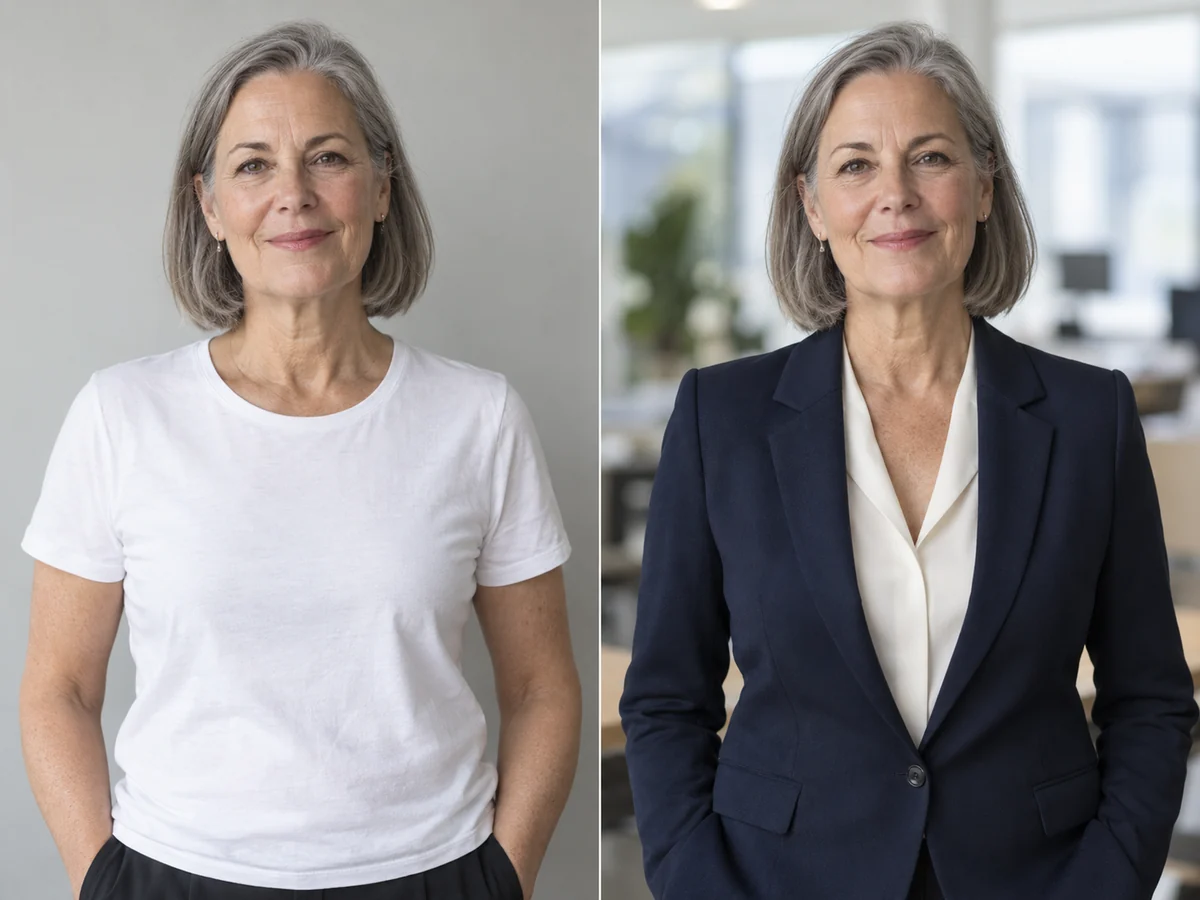
Add suit to photo, keep your face: four examples
When we tested how well this tool can add suit to photo in October 2026, on nearly 70 suit photos of five adult models, the face, hair and expression stayed recognisably the same in every result. The one change to expect: a studio or office backdrop often widened a tight headshot to a waist-up portrait, so keep your own background when you need a tight LinkedIn crop.
Where can you use a photo after you add suit to photo?
Once you add suit to photo, you have an edited photo. That is fine for most profiles and plain wrong for identity documents.
Good uses
- LinkedIn, a portfolio, a speaker bio or a team page
- Seeing a suit color or cut on you before you buy or rent one
- Planning what to wear to a wedding, gala or interview
- A job board or dating profile that doesn’t ask for an unedited photo
Don’t use it for
- Passports, visas, driver’s licences or any other ID
- Exam, visa-lottery or government applications that ask for a recent, unedited photo
- Anywhere you would be presenting the edit as how you looked on the day
The U.S. State Department, for one, rejects passport photos that were edited or filtered; its passport photo rules say to retake the photo instead.
Selfie tips that help you add suit to photo cleanly
The cleanest way to add suit to photo is to start from a front-facing, eye-level selfie with both shoulders in frame and nothing covering the collar.
- 01Before you add suit to photo, hold the phone at eye level and step back until both shoulders are in the frame; the jacket needs shoulders to sit on.
- 02Wear something close-fitting, like a T-shirt or thin sweater. A hood, scarf or big collar can leave traces at the neck.
- 03Keep hands and long hair off the collar so the shirt and tie have somewhere to go.
- 04Use soft daylight from the front. Strong side light can make the new fabric look flat on one side.
- 05Glasses are kept. If they reflect a window, tilt your head down a little before you take the photo.
Thinking about new frames for the photo too? Try them live on your camera with the virtual glasses try on first.
Five ways to add suit to photo online, compared
Each of these sites can add suit to photo online; they differ in how much you get to choose. Checked on 15 October 2026. Free allowances on these sites change often, so treat them as a guide and check each site before you rely on it.
| Tool | How you pick the suit | Tie | Free to start | The catch |
|---|---|---|---|---|
| WearTryOn (this page) | Occasion cards or five pickers, no prompt | 6 colors, bow tie or none | One free photo, then credits | Free results carry a small watermark; a new backdrop can widen a headshot |
| Fotor | Six presets, a text prompt or an outfit photo | Through the prompt | Credits from daily tasks | No tie control without writing a prompt |
| insMind | Four preset styles and colors | Not offered | Free trial | Fewer cuts; no womenswear choice named |
| Pokecut | Templates, a suit photo or a prompt | Can add a tie only | 20 free credits | Pitches passport photos, which official rules don’t allow |
| Magic Hour | One fixed prompt | Comes with the suit | Three a day, no sign-up | No choice of cut, color or tie |
Want a whole new outfit rather than a suit? Put any item from a shop’s product photo on yourself with virtual try on .
Questions before you add suit to photo
Is it free to add suit to photo here?
Each suit photo costs 5 credits. If the button shows Free, your first one costs nothing and needs no account. New accounts get 10 credits, each daily check-in adds 2, and a failed run is refunded.
Can I add a suit and tie to a photo online for a passport?
No. Passport and visa offices ask for an unedited photo, and the U.S. State Department rejects edited or filtered ones. Take a new photo in the clothes you want instead, and use this tool for profiles and planning.
Will it still look like me after I add suit to photo?
That is the main thing the model is told to keep: your face, eyes, skin tone, hair, glasses and expression. Compare with the slider before you share, especially on a small or blurry photo.
Does it work for women?
Yes. To add suit to photo in womenswear, switch to Womenswear above the occasion cards for a trouser suit, a skirt suit, a blazer over a blouse, a double-breasted suit or a tuxedo. Any tie works on either side.
Can I compare a few suits on the same photo?
Yes. Each time you add suit to photo, the new suit joins the Your suits row next to your original, up to three at a time, at 5 credits each. Compare them side by side, or send a vote link so friends can pick.
Do results have a watermark?
Free results are up to 768 px with a small weartryon.com mark in a corner. Any purchase, a plan or a credit pack, removes it and gives you full-size results.
When you add suit to photo, your upload is checked for safety and used only to make your result; it is never used for training. Details are in the privacy policy .
More ways to dress up a photo
Ready to add suit to photo? Start with a selfie
Upload a headshot, tap an occasion and add suit to photo in about half a minute. Then try a second suit and compare.
Put on a suit now