
%22%2F%3E%3Cpath%20d%3D%22M30%20101.4L30%20101.4Q30%2056%2075.4%2056L389.6%2056Q435%2056%20435%20101.4L435%20214.8Q435%20282.8%20367%20282.8L98%20282.8Q30%20282.8%2030%20214.8Z%22%20fill%3D%22url(%23demo-0-glare)%22%2F%3E%3Cpath%20d%3D%22M970%20101.4L970%20101.4Q970%2056%20924.6%2056L610.4%2056Q565%2056%20565%20101.4L565%20214.8Q565%20282.8%20633%20282.8L902%20282.8Q970%20282.8%20970%20214.8Z%22%20fill%3D%22url(%23demo-0-lens)%22%2F%3E%3Cpath%20d%3D%22M970%20101.4L970%20101.4Q970%2056%20924.6%2056L610.4%2056Q565%2056%20565%20101.4L565%20214.8Q565%20282.8%20633%20282.8L902%20282.8Q970%20282.8%20970%20214.8Z%22%20fill%3D%22url(%23demo-0-glare)%22%2F%3E%3Cpath%20d%3D%22M426%20107.4Q500%2078.7%20574%20107.4%22%20fill%3D%22none%22%20stroke%3D%22url(%23demo-0-rim)%22%20stroke-width%3D%2234.5%22%20stroke-linejoin%3D%22round%22%20stroke-linecap%3D%22round%22%2F%3E%3Cpath%20d%3D%22M36%20110.4L4%20108.4M964%20110.4L996%20108.4%22%20fill%3D%22none%22%20stroke%3D%22url(%23demo-0-rim)%22%20stroke-width%3D%2228.5%22%20stroke-linejoin%3D%22round%22%20stroke-linecap%3D%22round%22%2F%3E%3Cpath%20d%3D%22M30%20101.4L30%20101.4Q30%2056%2075.4%2056L389.6%2056Q435%2056%20435%20101.4L435%20214.8Q435%20282.8%20367%20282.8L98%20282.8Q30%20282.8%2030%20214.8Z%22%20fill%3D%22none%22%20stroke%3D%22url(%23demo-0-rim)%22%20stroke-width%3D%2230%22%20stroke-linejoin%3D%22round%22%20stroke-linecap%3D%22round%22%2F%3E%3Cpath%20d%3D%22M970%20101.4L970%20101.4Q970%2056%20924.6%2056L610.4%2056Q565%2056%20565%20101.4L565%20214.8Q565%20282.8%20633%20282.8L902%20282.8Q970%20282.8%20970%20214.8Z%22%20fill%3D%22none%22%20stroke%3D%22url(%23demo-0-rim)%22%20stroke-width%3D%2230%22%20stroke-linejoin%3D%22round%22%20stroke-linecap%3D%22round%22%2F%3E%3Cpath%20d%3D%22M30%20101.4L30%20101.4Q30%2056%2075.4%2056L389.6%2056Q435%2056%20435%20101.4L435%20214.8Q435%20282.8%20367%20282.8L98%20282.8Q30%20282.8%2030%20214.8Z%22%20fill%3D%22none%22%20stroke%3D%22%23ffffff%22%20stroke-width%3D%225.4%22%20stroke-linejoin%3D%22round%22%20stroke-linecap%3D%22round%22%20opacity%3D%220.12%22%20transform%3D%22translate(0%20-8.4)%22%2F%3E%3Cpath%20d%3D%22M970%20101.4L970%20101.4Q970%2056%20924.6%2056L610.4%2056Q565%2056%20565%20101.4L565%20214.8Q565%20282.8%20633%20282.8L902%20282.8Q970%20282.8%20970%20214.8Z%22%20fill%3D%22none%22%20stroke%3D%22%23ffffff%22%20stroke-width%3D%225.4%22%20stroke-linejoin%3D%22round%22%20stroke-linecap%3D%22round%22%20opacity%3D%220.12%22%20transform%3D%22translate(0%20-8.4)%22%2F%3E%3C%2Fsvg%3E)
Use this virtual glasses try on to see frames on your own face, live, before you buy. Turn on your camera and eleven frame styles follow you as you move, from round wire rims to a bold cat-eye. Your face shape, a frame size and an estimated PD are read on your device, and nothing is uploaded unless you ask for an AI photo.
- Live in your camera, free
- No app and no sign-in
- Face shape, frame size and PD
- Eyeglasses and sunglasses
What a virtual glasses try on shows you
A frame that looks great on a product page can look too wide, too small or too heavy on you. A live virtual glasses try on answers three questions before you order.
Shape against your face
A virtual glasses try on shows whether round, square, cat-eye or aviator lines balance your jaw, cheekbones and brow.
Size and position
Check that the frame matches the width of your face and that your eyes sit near the center of each lens.
Color with your skin and hair
Compare black, tortoise, crystal and metal finishes next to your skin tone, and lens tints for sunglasses.
How to use the virtual glasses try on
- 01
Start your camera
Allow camera access to start the virtual glasses try on and face the screen at arm’s length. No camera? Upload a straight-on photo or pick a sample face.
- 02
Switch frames live
Tap any of the eleven frames. They track your head as you turn, and styles marked Suits you match your face shape.
- 03
Pick a color and fit
Choose a frame finish, switch to sunglasses for a lens tint, and nudge the size or height until it sits like real glasses.
- 04
Snap and compare
Take up to four snapshots, view them side by side, download a fit card, or create a photo-real AI version.
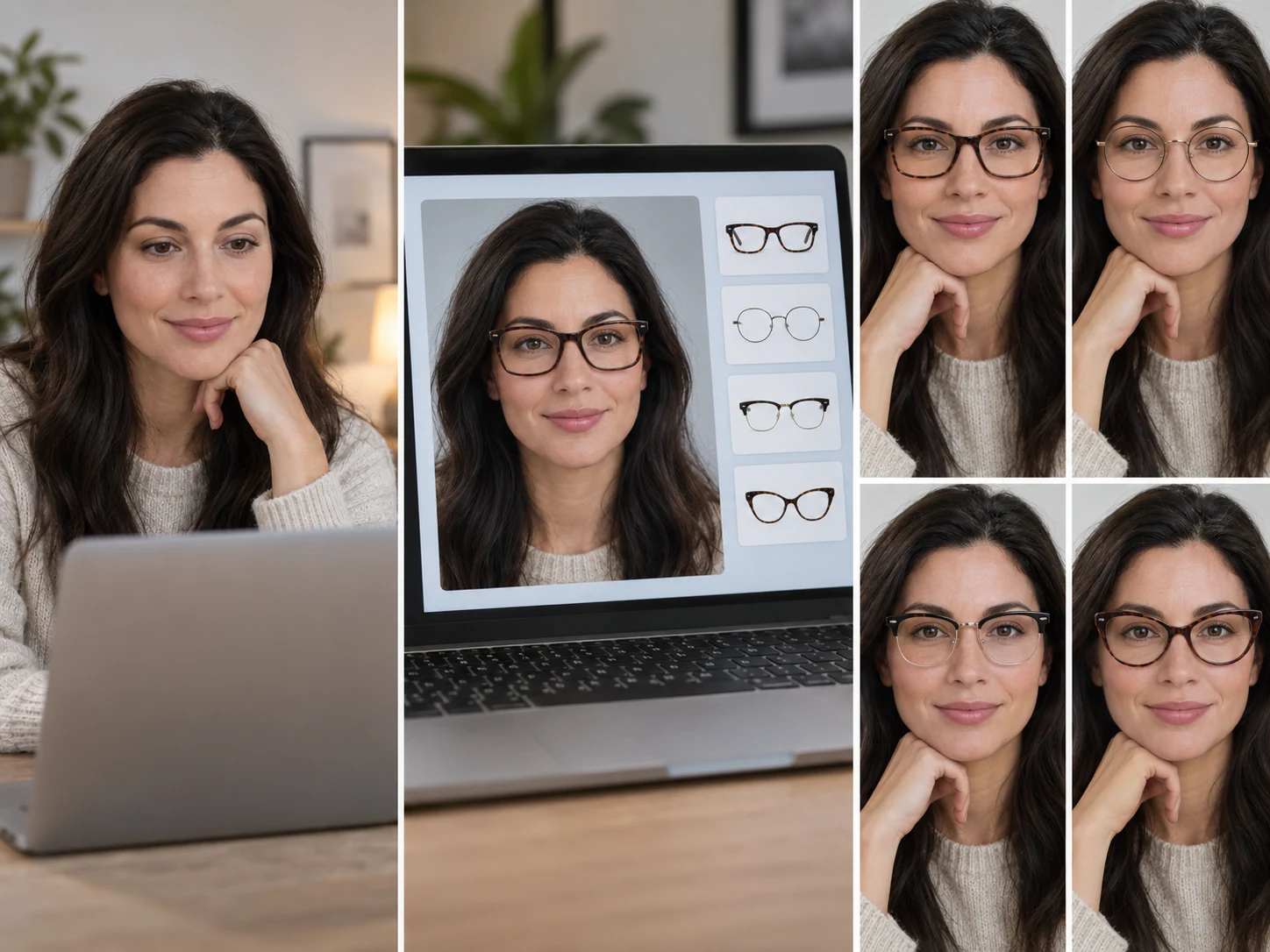
Virtual glasses try on by face shape
Opticians pick frames that contrast with your face: angular frames for soft features, round frames for strong ones. The tool measures your face from the camera and marks frames that fit the rule. Treat it as a starting point; the virtual glasses try on lets you check the result yourself.
| Face shape | What helps | Frames to try |
|---|---|---|
| Oval | Keep the balance | Almost any: oversized square, geometric hex, aviator |
| Round | Angles and width | Classic rectangle, bold square, browline, retro trapezoid |
| Square | Curves to soften the jaw | Soft round, round wire, slim oval, cat-eye |
| Heart | Lighter tops, width lower down | Aviator, round wire, slim oval, geometric hex |
| Oblong | Depth to shorten the face | Oversized square, bold square, retro trapezoid |
| Diamond | Width at the brow | Cat-eye, browline, slim oval, soft round |
| Triangle | Weight on top | Browline, cat-eye, aviator, round wire |
Face shape detection in the virtual glasses try on is approximate. It works best when you look straight at the camera with your hair off your forehead.
Your face shape also decides which haircuts flatter you. Pair new frames with a new cut in our hairstyle try-on and see both on your own face.
Frame size and PD from your virtual glasses try on
While you look straight ahead, the tool uses the iris, which is about 11.7 mm across in most adults, as a ruler. From it the virtual glasses try on estimates two numbers that help when you shop online.
Frame size
Your face width at the temples becomes a narrow, medium or wide frame size. Compare it with the total frame width listed by the shop.
PD estimate
Pupil distance is the gap between the centers of your pupils, often 54–74 mm in adults. Online orders ask for it to center the lenses.
Fit by eye
In the virtual glasses try on, your eyes should sit near the middle of each lens and the frame should not reach past the sides of your face.
These are camera estimates, not a prescription measurement. For prescription lenses, use the PD on your prescription or ask an optician to measure it.
Virtual sunglasses try on: six lens tints
Switch the virtual glasses try on to Sunglasses and every frame gets a tinted lens. Tint changes how dark the frames look on you, so try it before you choose a color.
Smoke gray
Keeps colors true and cuts glare evenly: the safe all-round choice.
Brown gradient
Dark at the top, light at the bottom; warm and good for driving.
Classic green
A vintage look with natural contrast.
Rose
A light fashion tint that warms the face; not for bright sun.
Blue mirror
Reflective and bold; hides the eyes completely.
Yellow
Boosts contrast in dull light; a statement color.
Live virtual glasses try on vs an AI photo
The live virtual glasses try on is instant and free: frames are drawn over your camera picture on your device, so you can flip through every style in seconds. It is a 2D overlay, so it shows shape, size and color but not real reflections. When you have a favorite, the AI photo redraws that frame on your face with realistic lenses, shadows and arms, ready to share.
- Live preview: all 11 frames and every color, free, nothing uploaded
- AI photo: one photo-real portrait, 5 credits
- Snapshots and the fit card are free to download
- Ask friends which frames suit you before you buy
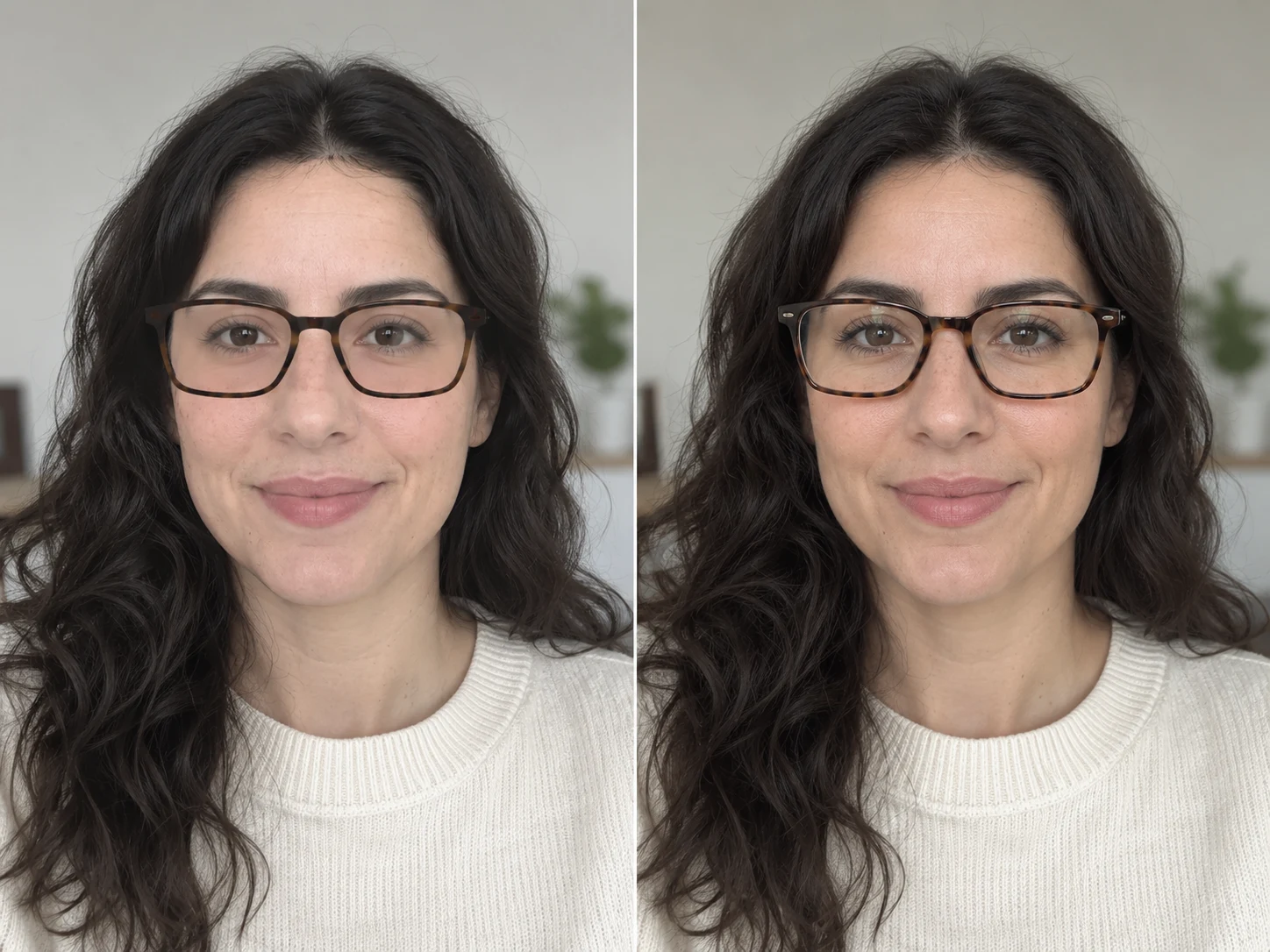
Virtual glasses try on tools compared
Most eyewear shops offer a try-on for their own catalog. This page is for the step before: deciding which style and size to shop for.
| Option | How it works | Frames | Cost |
|---|---|---|---|
| WearTryOn | Live camera or photo in any browser | 11 styles, any color; face shape, size and PD | Free; AI photo 5 credits |
| Retailer try-on | On a shop’s product pages | That shop’s frames only | Free, tied to buying there |
| Eyewear apps | Install, then use the phone camera | One brand or marketplace | Free, often with sign-up |
| In-store fitting | Try real frames with an optician | What the store stocks | Needs a visit |
Once the virtual glasses try on gives you your shape and size, filter any shop by them and try on glasses online in its own tool.
Tips for an accurate virtual glasses try on
- 01Take off your own glasses before a virtual glasses try on, so the frames sit on your face.
- 02Face soft light from the front; a bright window behind you hides your features.
- 03Hold the camera at eye level, about an arm’s length away.
- 04Look straight ahead for a few seconds so face shape, size and PD settle.
- 05Turn your head slowly to see the frames from the side.
- 06Compare two or three finalists in snapshots instead of switching from memory.
Glasses are part of the outfit. Snap your favorite pair, then get a second opinion on the whole look from the AI outfit rater before you buy.
Frames change how makeup reads. Pair your favorite pair with a lip color in our virtual makeup try on to see the whole face together.
Virtual glasses try on FAQ
Is the virtual glasses try on free?
Yes. The live preview, face shape, frame size, PD estimate, snapshots and fit card are free with no account. Only the photo-real AI photo uses credits: 5 per photo.
Do I need to download an app?
No. The virtual glasses try on runs in Chrome, Safari, Edge and other modern browsers on phones, tablets and computers.
Is my camera video uploaded?
No. Face tracking runs in your browser and the video never leaves your device. A single still is sent only if you create an AI photo or share a vote link.
Can I try on glasses online without a camera?
Yes. Upload a front-facing photo or use a sample face; frames switch on the photo instantly.
How accurate are the PD and frame size?
They are estimates, usually within a few millimeters when you face the camera in good light. They help you shop, but use your prescription PD for lenses.
Can I try on sunglasses too?
Yes. Switch to Sunglasses for a virtual sunglasses try on with six lens tints on every frame.
Are these real brand frames?
No. They are common frame styles, drawn so you can compare shapes, sizes and colors. Use what you learn from the virtual glasses try on to pick frames in any shop.
Why do the frames slip when I turn my head far?
The preview is a 2D overlay that follows your face. Very large turns or tilts can make it drift; face the camera again and it settles.
More ways to try a new look
Hairstyle Try On
Try new haircuts on your own face
Live Try On
Try clothes on live in your camera
AI Outfit Rater
Score your outfit out of 10, free
AI Clothes Changer
Swap one piece of clothing in any photo
Virtual Try On
Try items from any store before you buy
Guides
How-tos and honest reviews of try-on tools
Find frames that suit your face
Start the virtual glasses try on with your camera or a photo, see your face shape and frame size, and snap the looks you like. It is free and nothing is uploaded.
Start your camera