
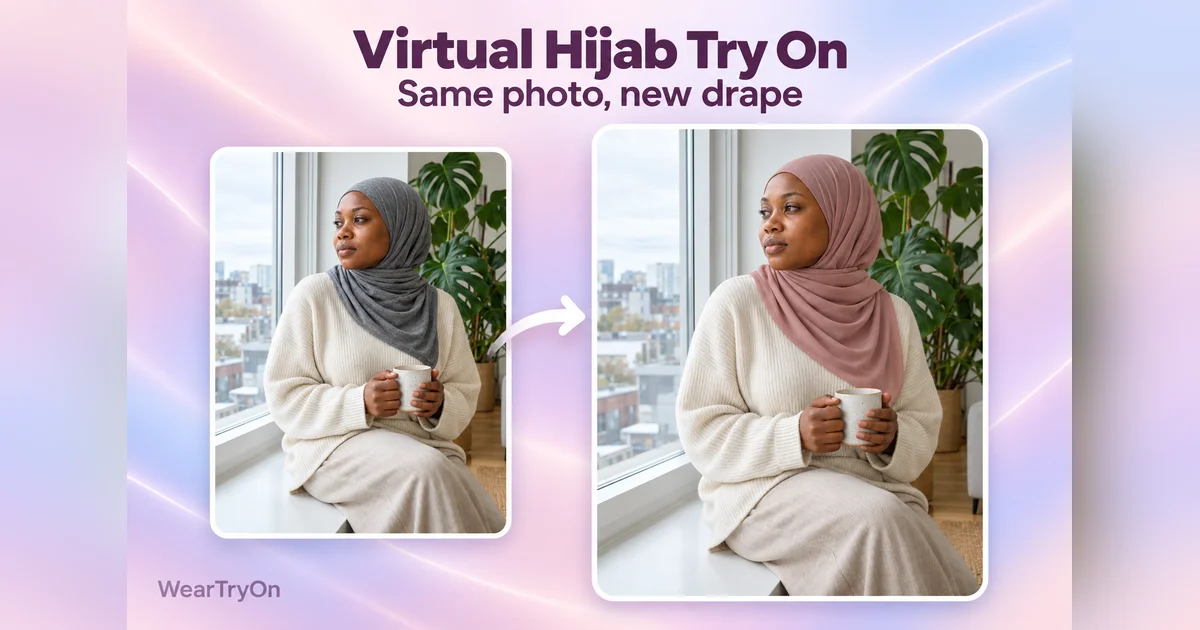
This virtual hijab try on rewraps the scarf in your own photo. Pick a drape, choose up to four colours or upload a photo of your own scarf, and see each look on your face before you buy a new scarf or change the way you tie it.
Virtual hijab try on: photos, cost and privacy
A virtual hijab try on is a still-image preview for comparing drapes and colours on a photo. Results are AI previews: the face, outfit and coverage can shift, so check each look before you save or share it.
- Photo and coverage
For a virtual hijab try on, use a front-facing photo of one adult, with or without a scarf; if you already wear one, leave it on. If a look comes back without a full headscarf, it’s discarded and its credits are refunded.
- Free credits and cost
Sign in to generate a virtual hijab try on, sample models included. New accounts get 10 welcome credits, enough for 2 looks; each look uses 5, and credits for a failed look are refunded. After that, add credits with a plan or pack.
- Compare before choosing
In the virtual hijab try on, mix drapes and colours up to four looks, such as one drape in four colours or two drapes in two. You can also upload a photo of a scarf you own or are thinking of buying; its colour and pattern may not match exactly.
- Your results
Results are private to your account and cannot be shared through vote links. Saved looks also expire after 30 days, so download any you want to keep.
Keep your scarf on: a virtual hijab try on for a new drape
Upload a picture where you already wear a hijab. The virtual hijab try on rewraps your scarf, so you never need a photo with your hair showing.
- Your faceYour expression, skin and features are kept as closely as the AI can.
- Your outfitYour outfit and background stay as you took them; small details can shift.
- The result is privateResults live in your history and closet. They never appear in vote links or public galleries. How we handle photos
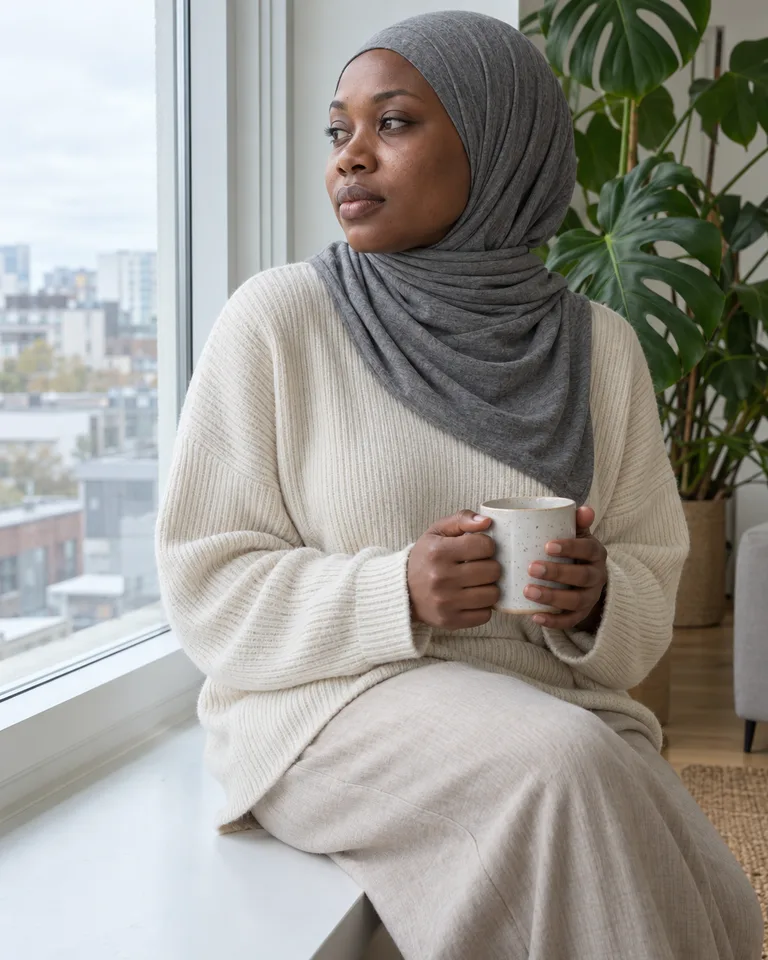
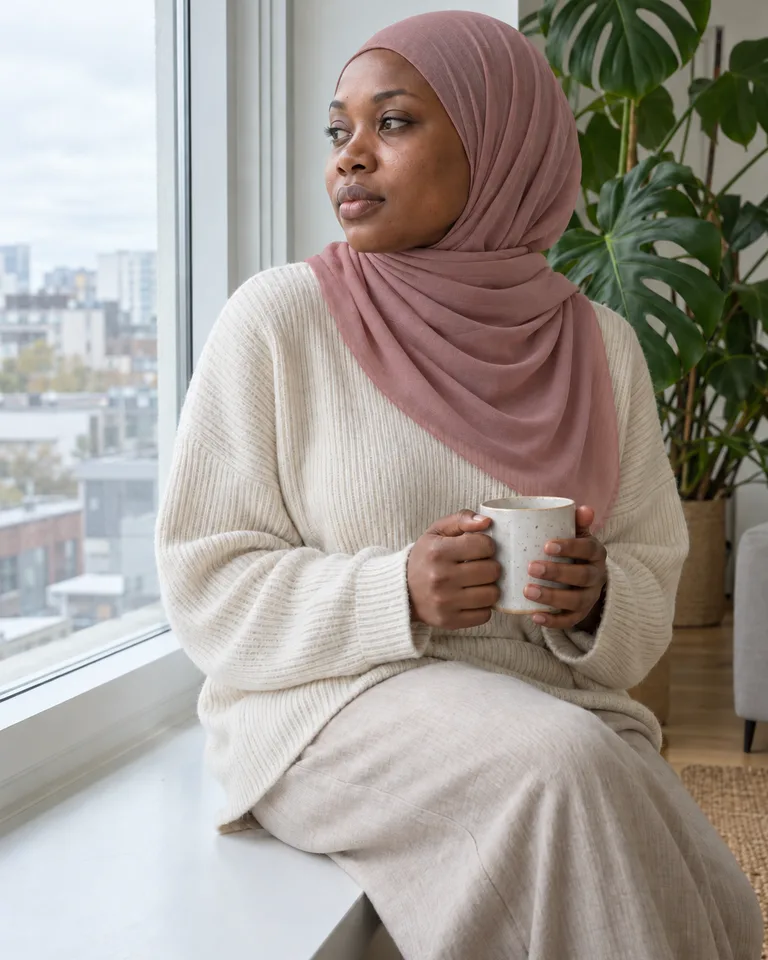
Seven drapes in the virtual hijab try on, side by side
These AI-generated illustrations show one model in all seven presets, so you can see how they differ before you run the virtual hijab try on on your own photo.
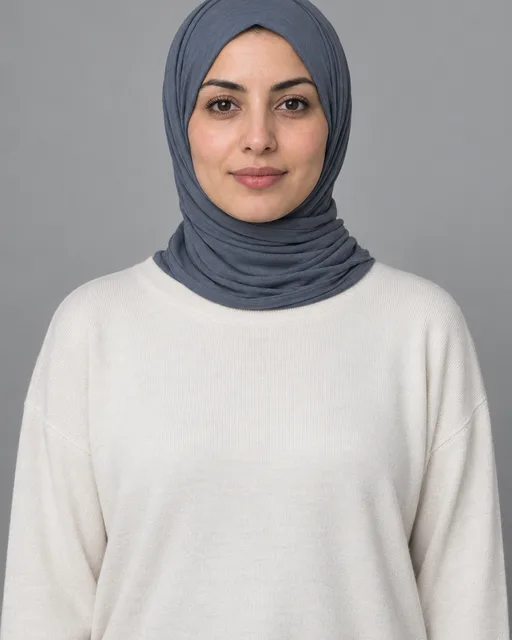 Jersey wrapWraps close around the face and neck in one smooth layer. Stretchy, needs few or no pins and is easy for everyday wear.
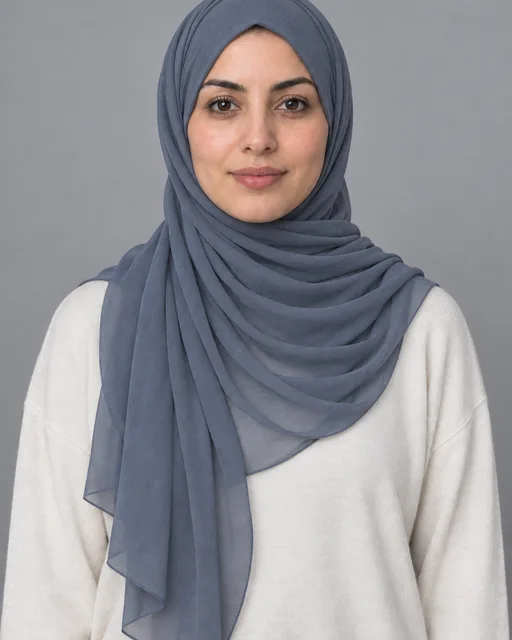 Chiffon drapeLight layers fall loosely over the shoulders and chest, usually over an underscarf. Pairs well with dressier outfits.
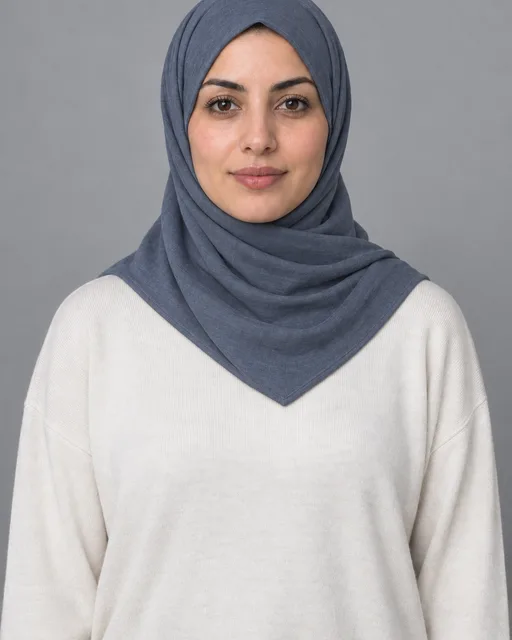 Square foldFolded into a triangle and pinned under the chin, with neat straight edges that suit collars and blazers.
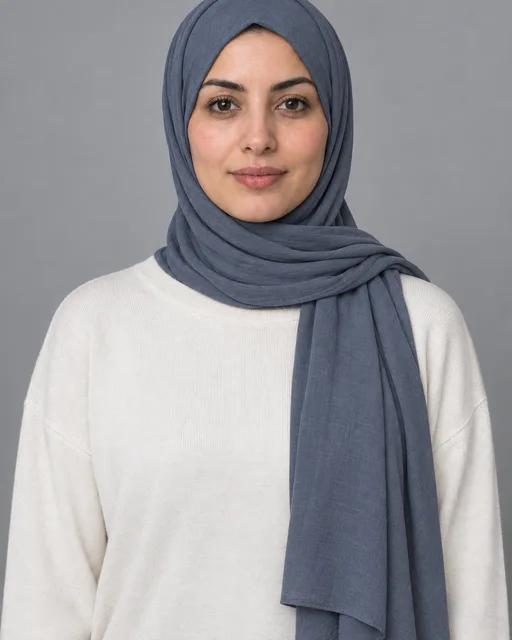 ShaylaA long rectangle wrapped once, with the loose end over one shoulder. Quick to tie.
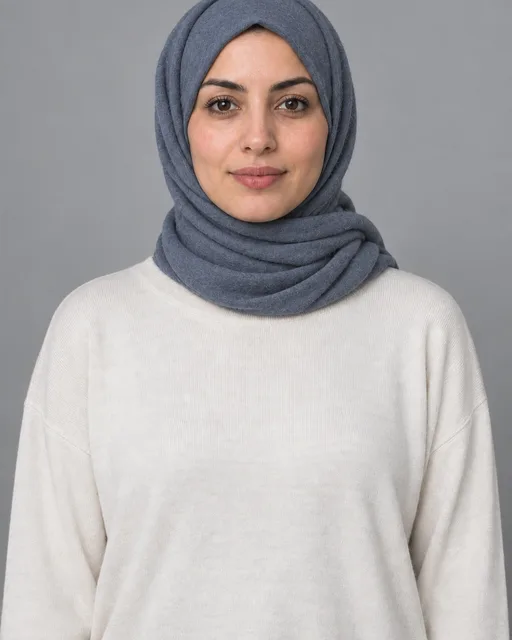 PashminaSoft, thicker fabric with gentle volume at the neck. Warm for winter and travel days.
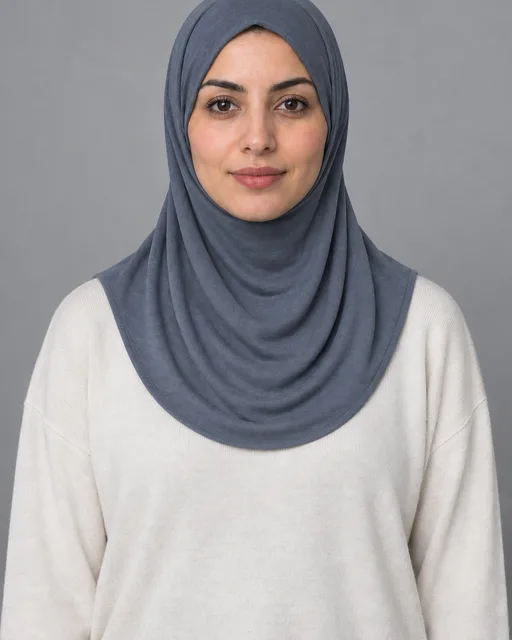 InstantOne piece with a sewn face opening and a rounded drape. Slips on in seconds with no pins at all.
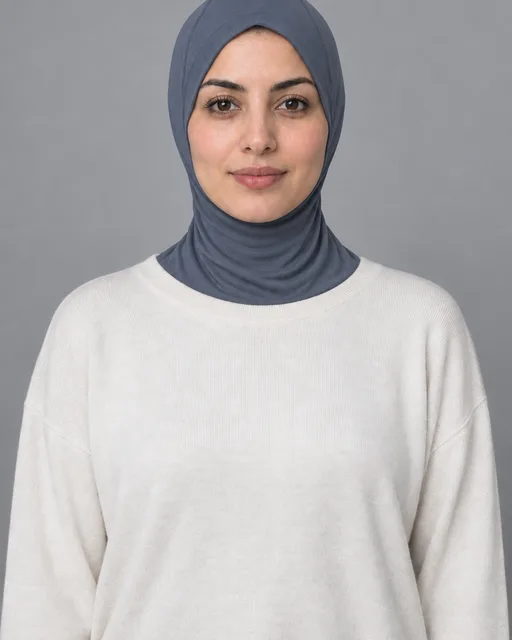 SportA close-fitting hood in stretch fabric that tucks into the neckline and stays put while you move.
Pick a drape for your day, then test it in the virtual hijab try on
These AI-generated scenes show styling ideas, not customer photos. Tap Try this drape on any card to load it into the virtual hijab try on.
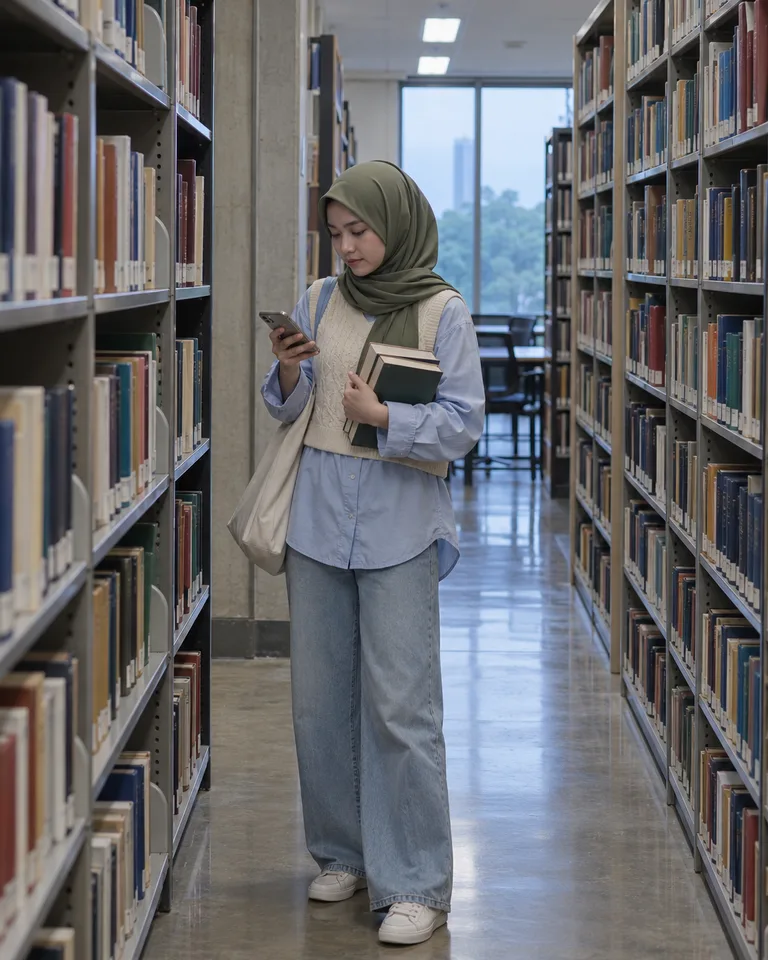 Campus
Jersey wrap
Snug jersey stays in place from lecture to library, with no pins to fix between classes.
 Office
Square fold
A folded square scarf gives crisp edges that sit neatly under a blazer collar in meetings.
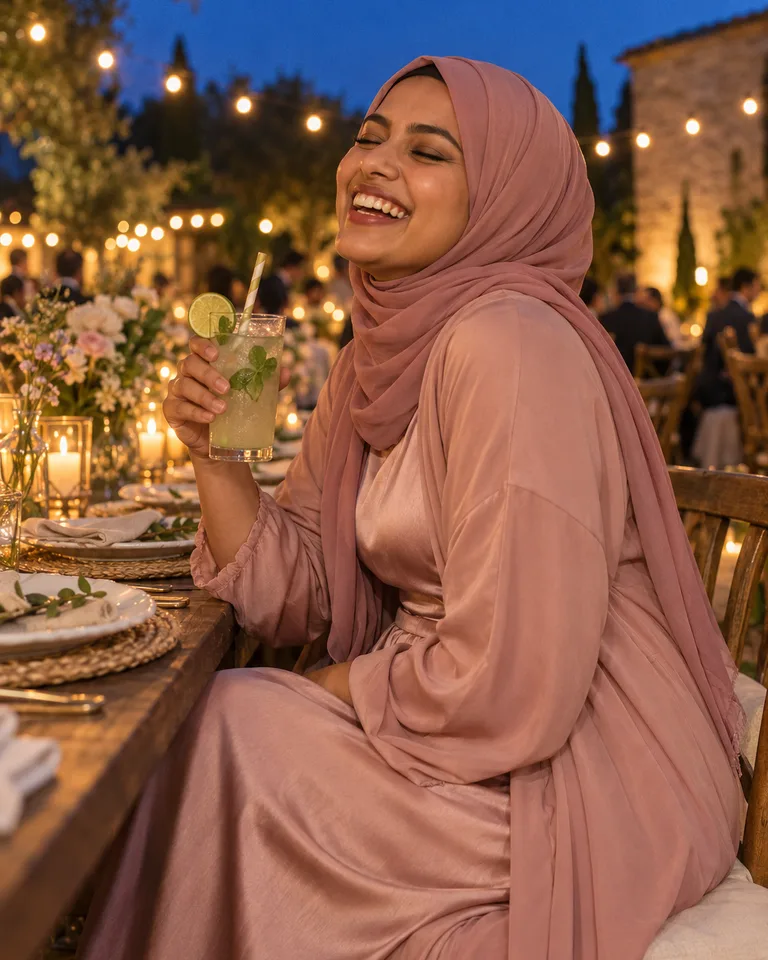 Wedding guest
Chiffon drape
Soft chiffon layers move when you do and pair with satin or embroidered dresses.
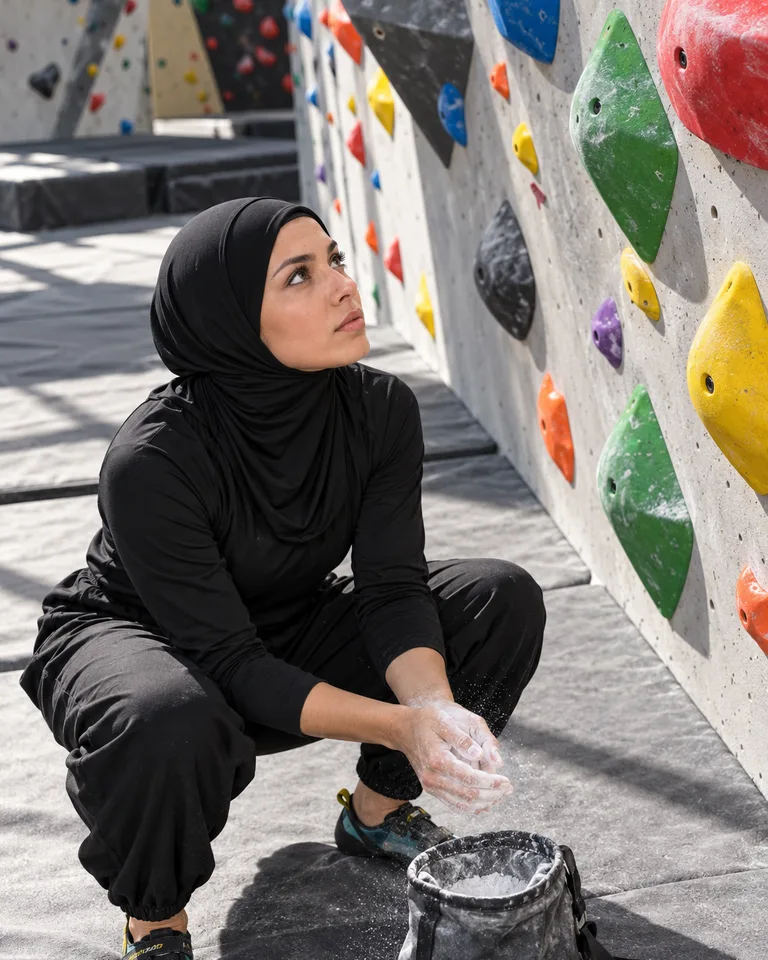 Gym
Sport
A one-piece hood with nothing to pin or re-tie between climbs, runs and classes.
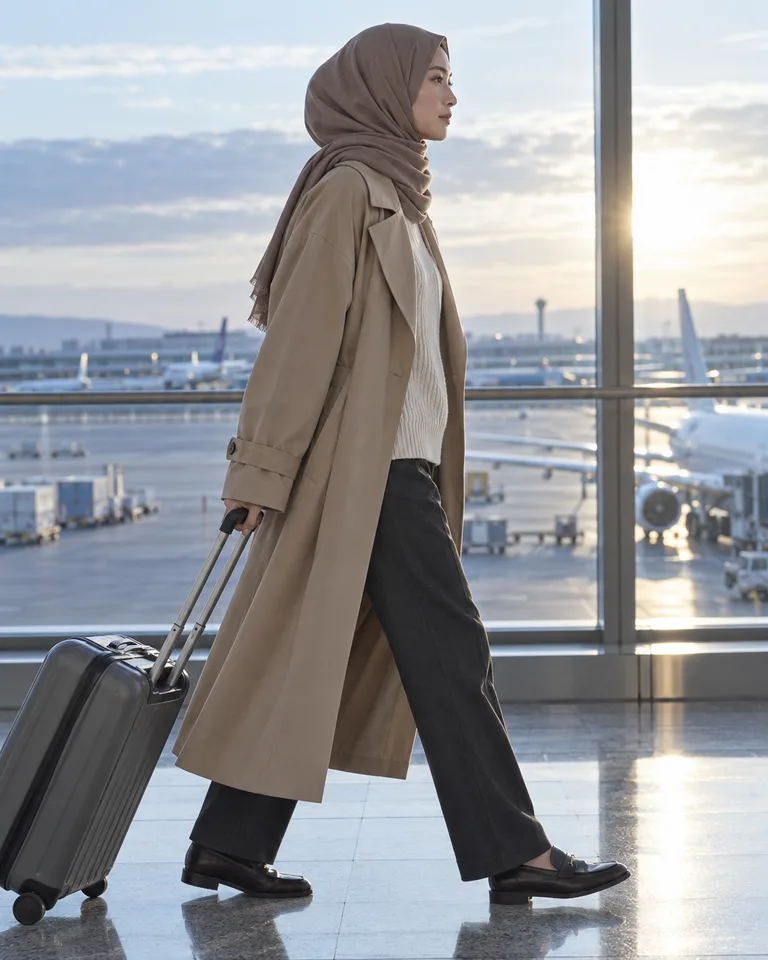 Travel
Pashmina
A soft pashmina keeps you warm on cold flights and doubles as a wrap.
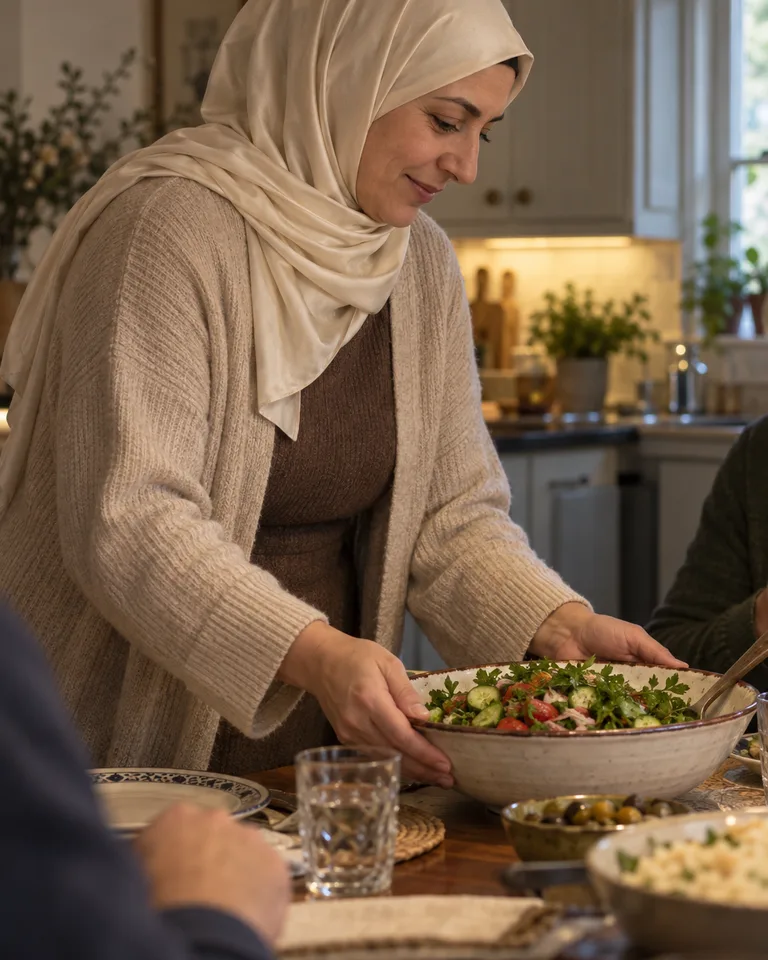 Family dinner
Shayla
Wrap it once, flip the end over your shoulder and you’re ready before the food is.
See colours next to your face in the virtual hijab try on
A scarf sits right beside your skin, so colour matters more here than almost anywhere in an outfit. Tap a shade to see it on Nadia, one of the sample models, then run the same shades in the virtual hijab try on with your own photo.

Navy
- Warm undertoneGolden or olive skin often glows in olive, terracotta, mocha and cream.
- Cool undertoneSkin with pink or bluish undertones tends to brighten in navy, dusty rose, plum and soft grey.
- NeutralMost shades work. Sage and slate are easy places to start.
These are starting points, not rules. Running four shades side by side in the virtual hijab try on with your own photo shows more than any chart.
Found the shade? Explore the rest of the look in the clothes color changer using your photo.
Photos that give the virtual hijab try on a clean swap
The virtual hijab try on works best when it can see your face clearly. These four habits give it the clearest view.
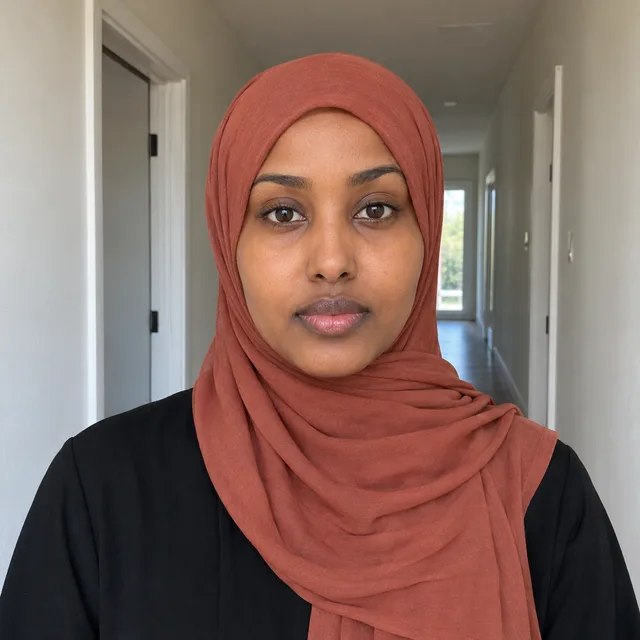 1Face the cameraChin level, both eyes visible. A turned head can shift the drape.
 2Soft, even lightWindow light from the front beats a harsh lamp from one side.
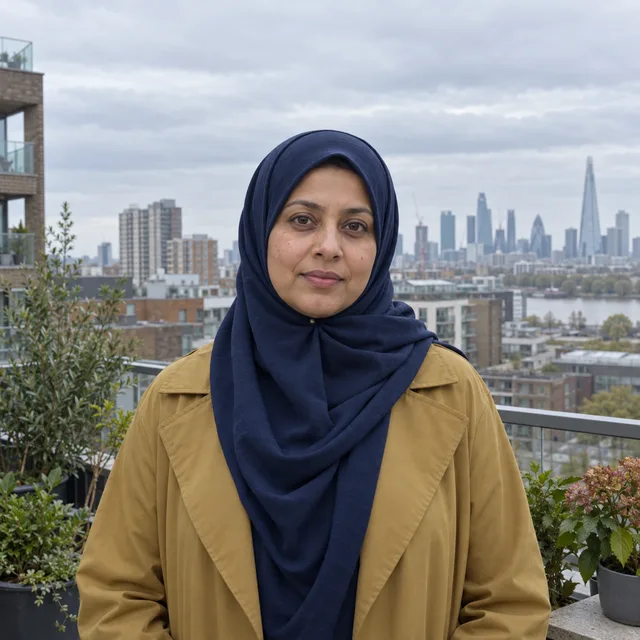 3Leave room above the scarfFrame from just above the head to the shoulders so the new drape has space.
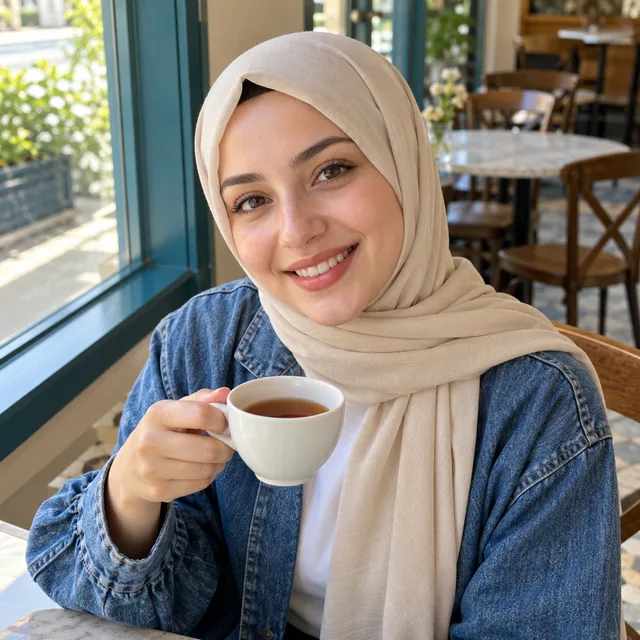 4Just you in the frameCrop out friends and mirrors so the tool knows whose scarf to change.
Before you upload to the virtual hijab try on
Do I need a photo without my hijab?
No. A photo in the scarf you usually wear works best, and the virtual hijab try on keeps hair covered while changing the drape. If a look comes back without a full headscarf, it isn’t kept and its credits are refunded.
Will my face or clothes change?
The AI redraws the photo to change the head covering and tries to keep your face, expression, outfit and background the same. Small details can shift, so check each look before you use it.
Can I compare several colours at once?
Yes. Mix drapes and colours up to four looks, such as one drape in four colours or two drapes in two. The virtual hijab try on makes each look as its own image and shows them side by side, so you can tap any one for a before and after view.
Can I try a hijab if I don’t usually wear one?
Yes. Upload a front-facing photo of one adult and the virtual hijab try on adds the drape you pick, covering the hair and neck while your face stays visible.
Who can see my results?
Only you. Results stay in your private history and closet. Headscarf results can be downloaded or saved, but not shared in a vote link.
What does a look cost?
Each look in the virtual hijab try on uses 5 credits after sign-in. New accounts get 10 welcome credits, enough for 2 looks, and credits for a failed look are refunded. After that, add credits with a plan or pack.
Can I see the scarf with a different outfit?
Yes. Download the result, then upload it to the outfit changer. It aims to keep the scarf while changing the clothes, but check the new image.
Can I try on a scarf I already own or want to buy?
Yes. In step 3, tap Upload a scarf photo and add a photo of the scarf: laid flat, hanging or from a shop page. The virtual hijab try on aims to reproduce its colour and pattern in your chosen drape; compare the result with the original because details can vary.
Does the colour match a real scarf exactly?
Screens and lighting vary, so treat the virtual hijab try on as a close preview. A clear daylight photo of the real scarf gets closest; compare it with the shop’s colour swatch before you order.
Can it show a face veil?
No. The tool is designed for headscarves that leave the whole face visible; it does not offer a face veil preset.