
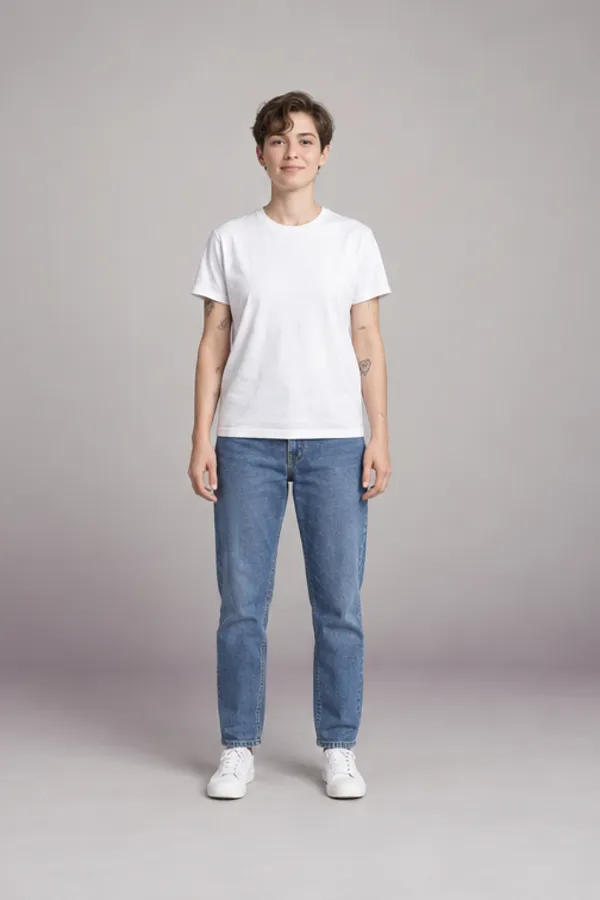
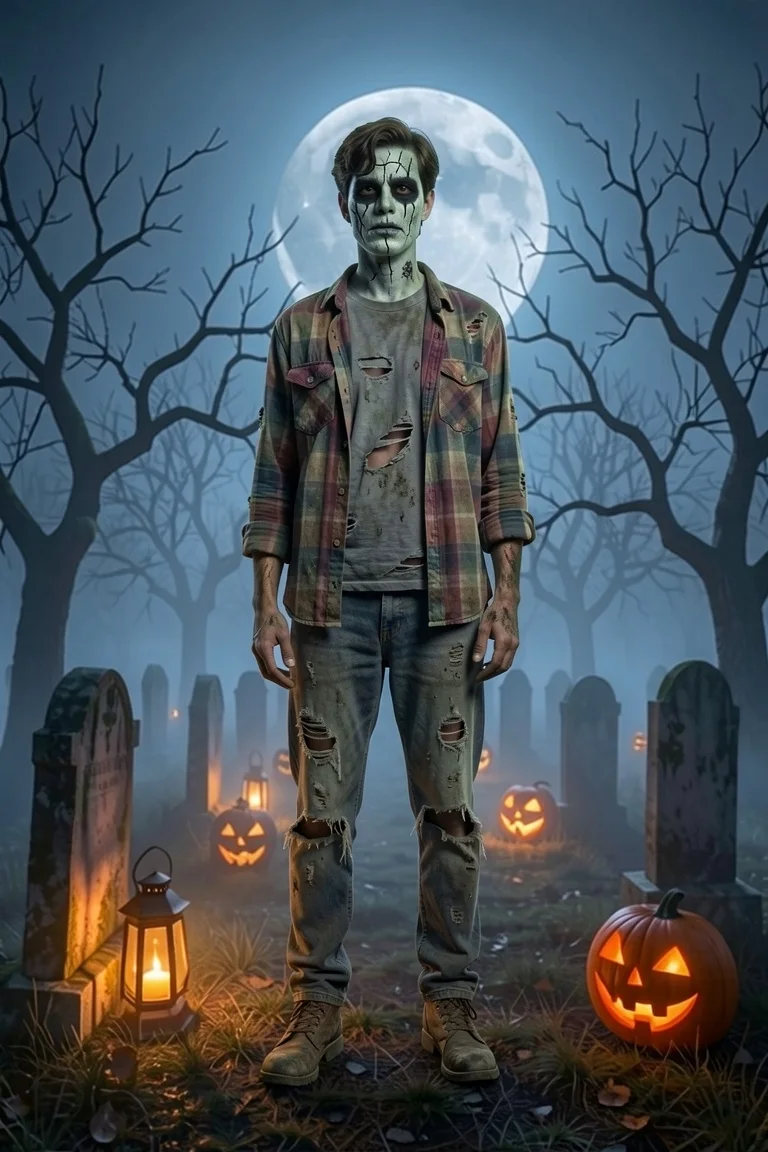
A zombie filter is an AI photo effect that turns you into the undead, and this one scares without the gore. Upload one photo and the AI zombie filter paints your face grey-green, sinks your eyes into shadow, adds a few cracks and tears your clothes, then drops you into a foggy graveyard or an abandoned manor. Your features stay yours, so friends still know who just rose from the dead. Four looks, and the first zombie photo is free.
- First zombie photo free
- No blood or gore
- Still recognisably you
- Selfie or full body
See every Halloween look in one place on the Halloween AI photo page, from costumes to the fan video.
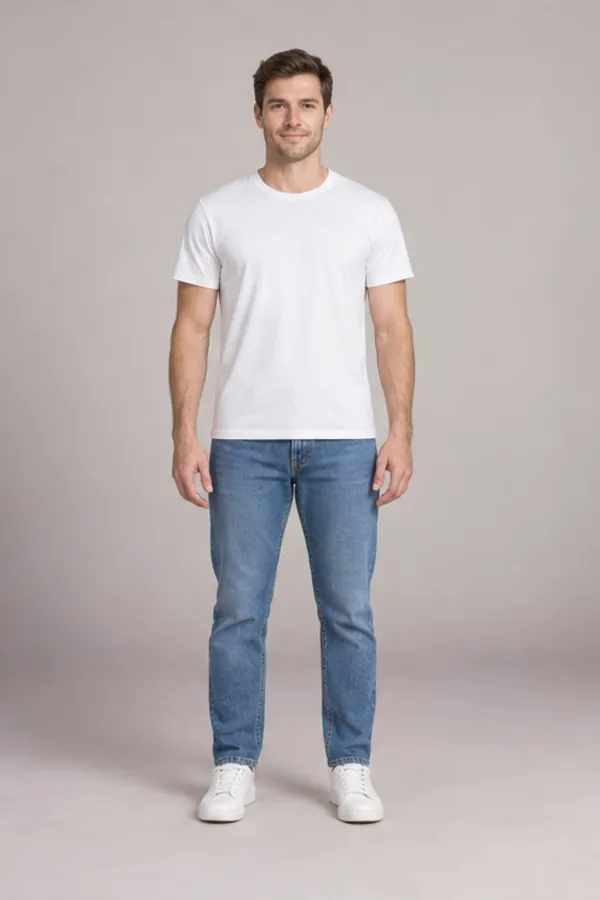
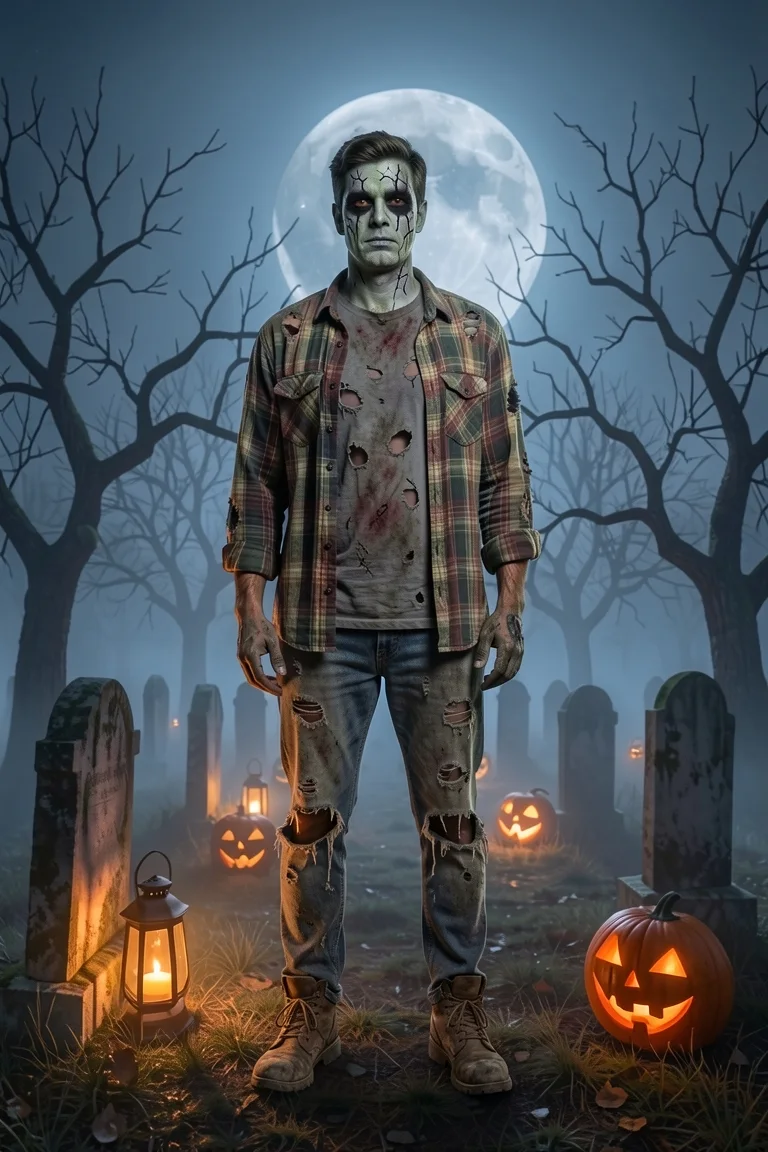
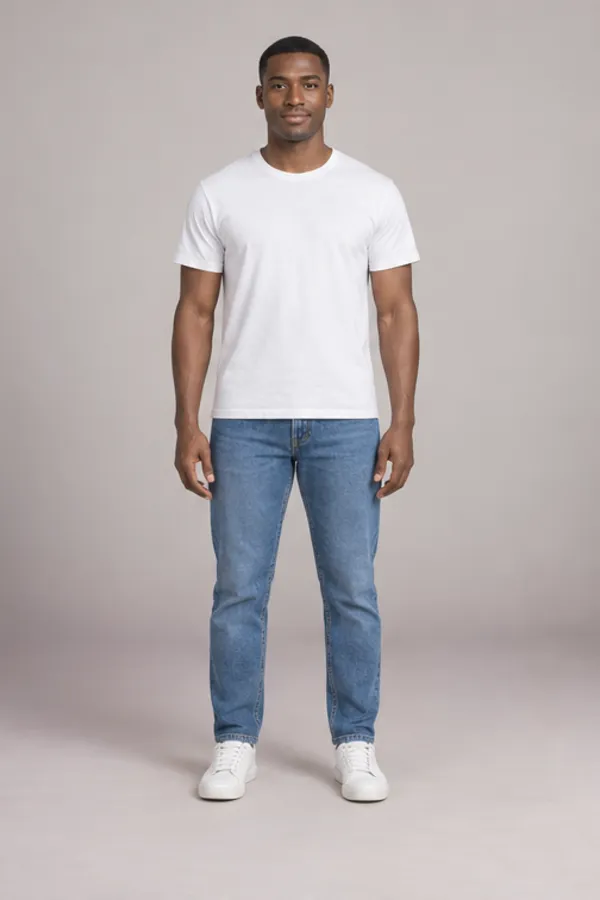
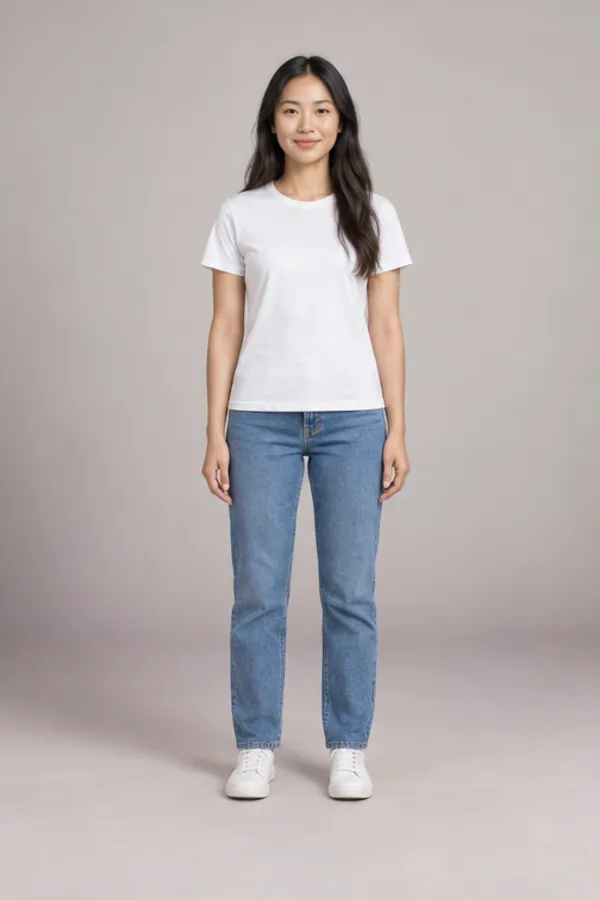
Before and after the zombie filter
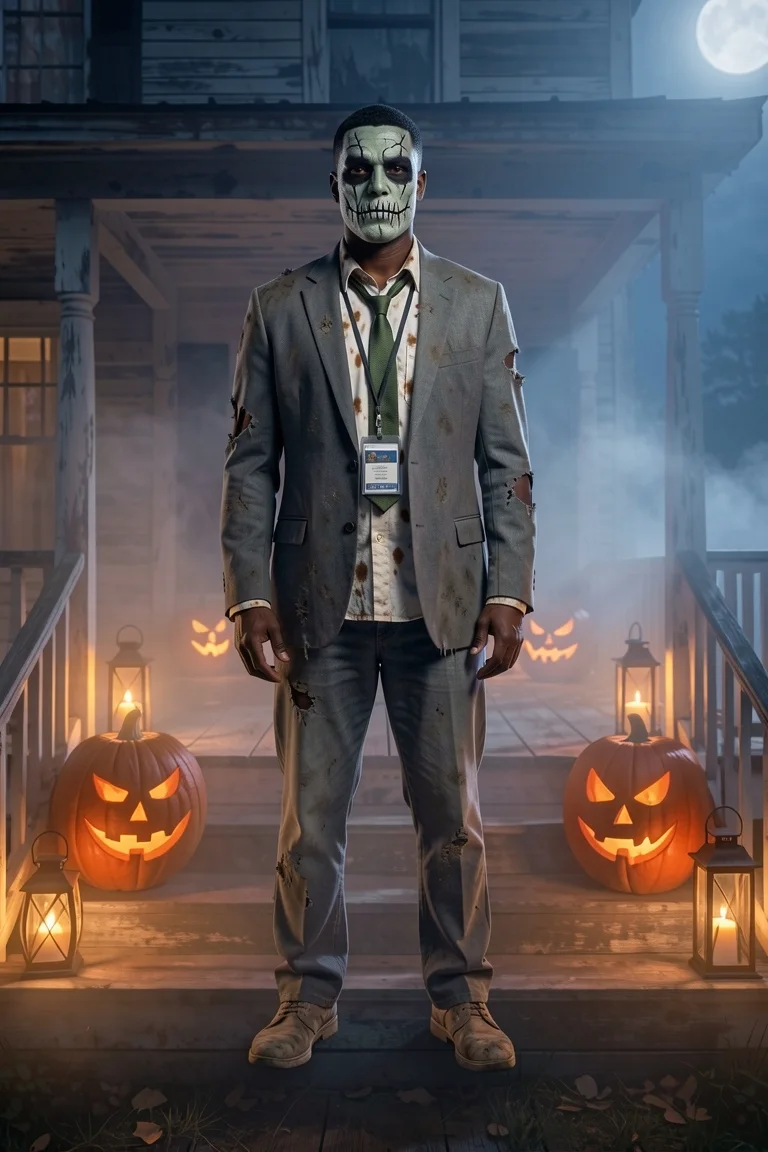
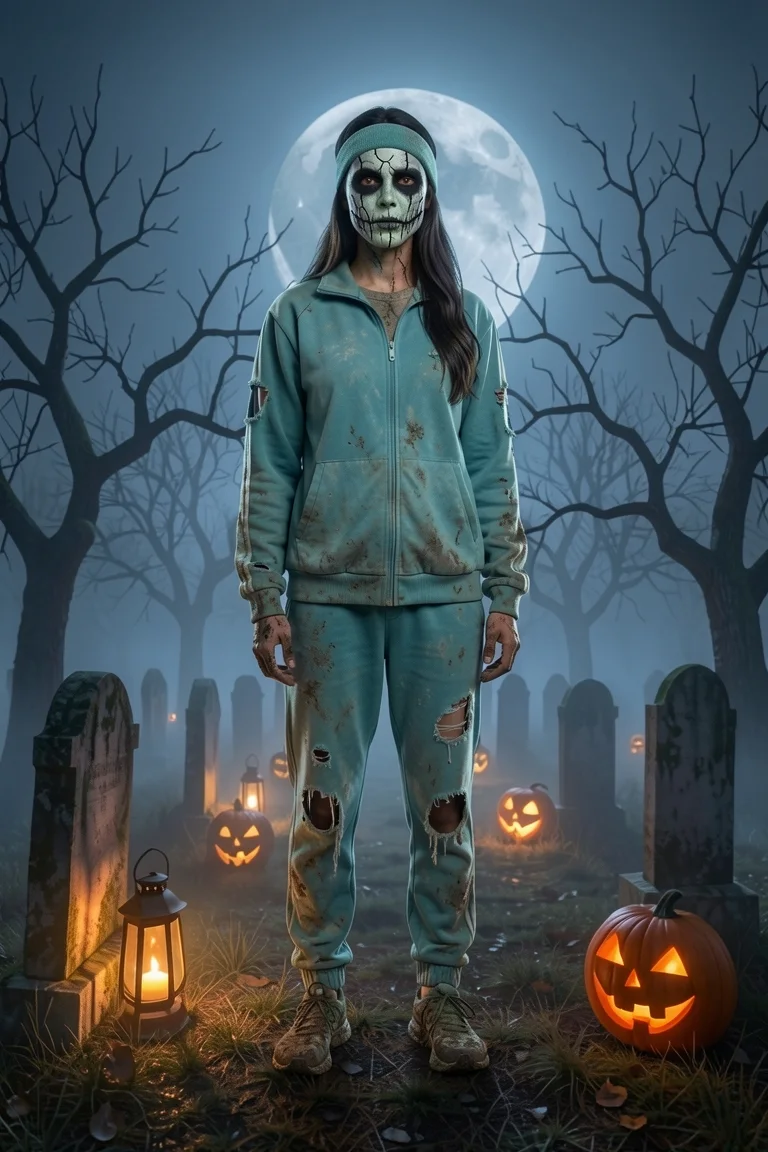
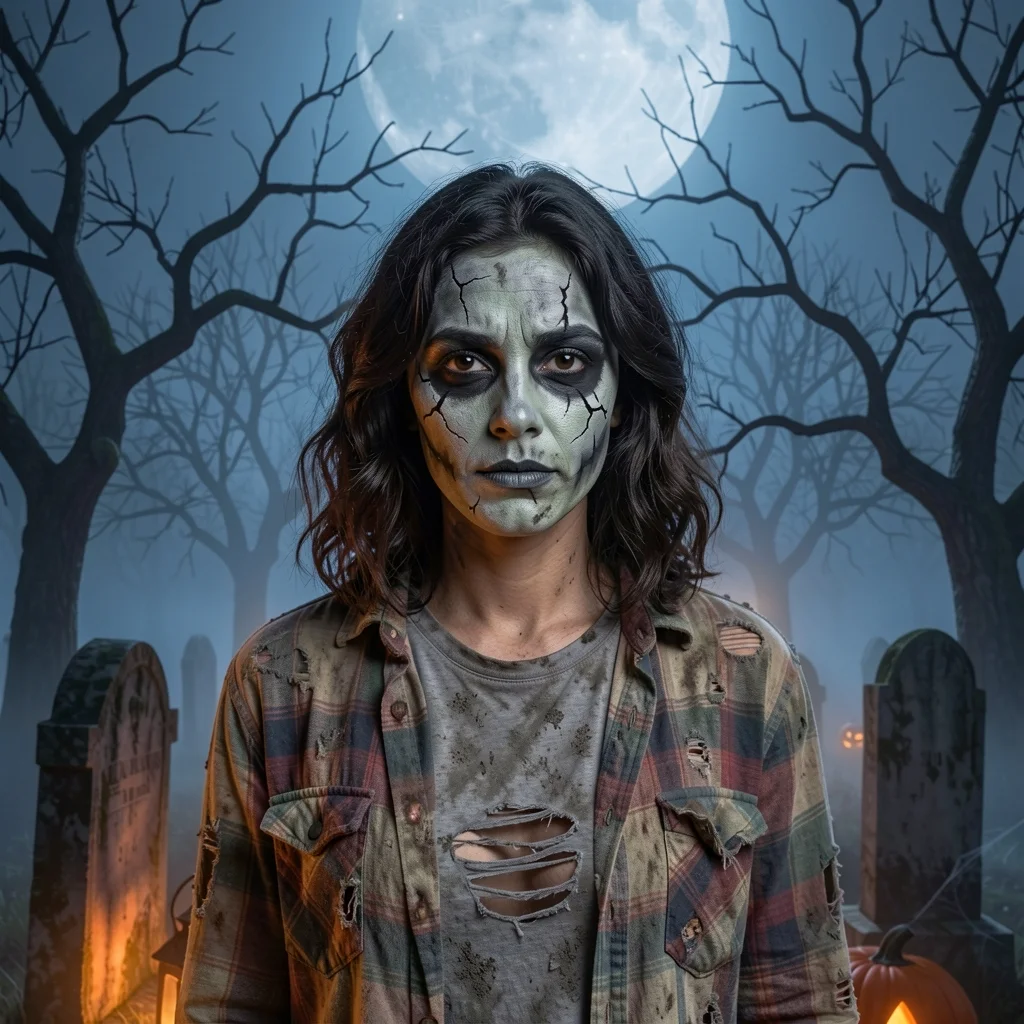
Same face, same pose, same person. Only the skin paint, the eyes and the clothes have died.
Choose your outbreak
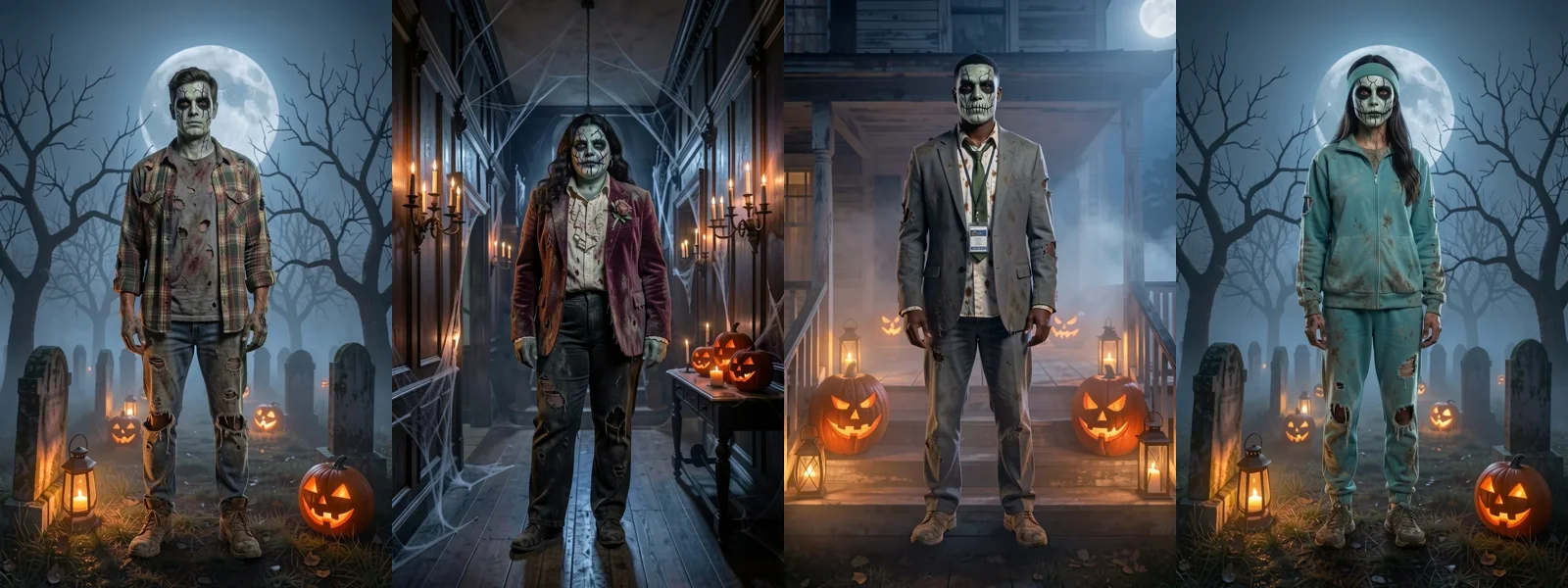
Four zombie filter looks, four ways it went wrong
Each zombie filter look tells a small story in the clothes: where you were when it happened. The face paint is the same theatrical grey-green on all four, so pick by outfit, or line up three and see which one your friends find creepiest.
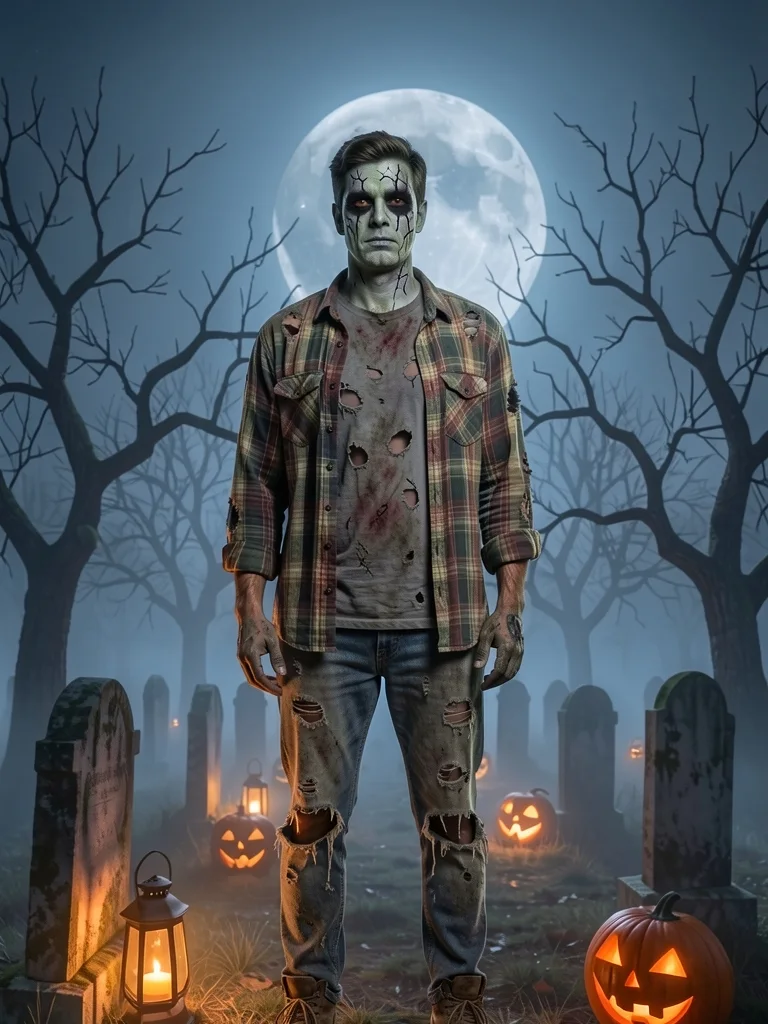
Classic zombie
Torn plaid over a ripped tee, frayed jeans, everything dusty. The one from every zombie film.
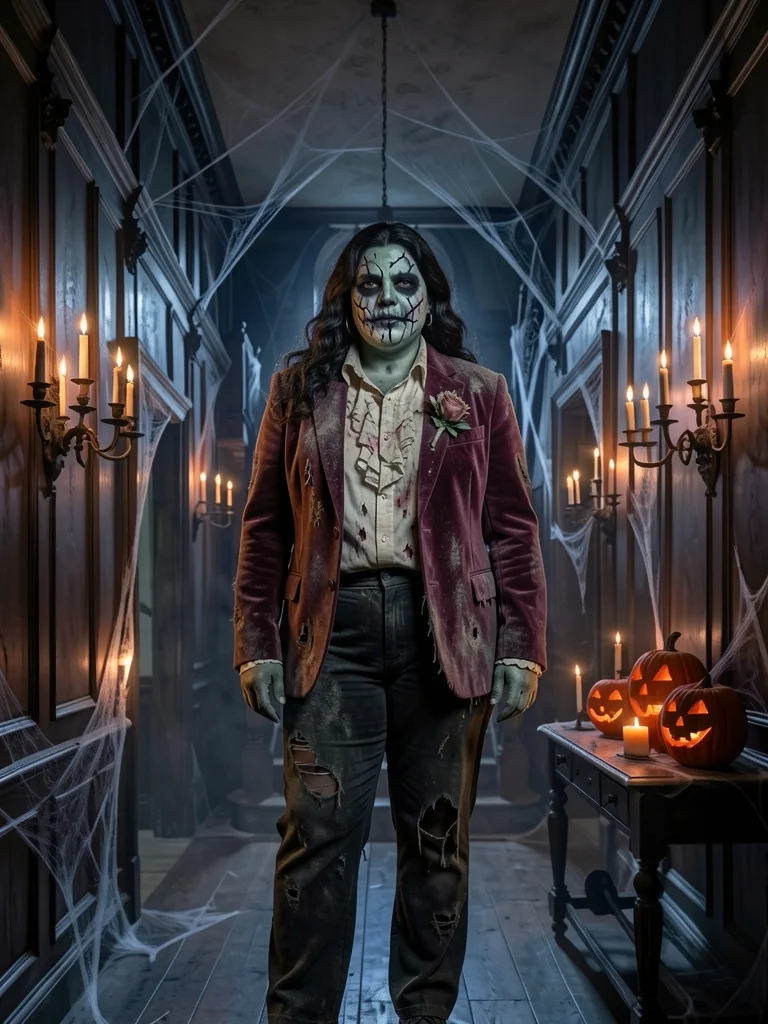
Prom zombie
Faded velvet, a torn ruffled shirt and a wilted corsage. The night that never ended.
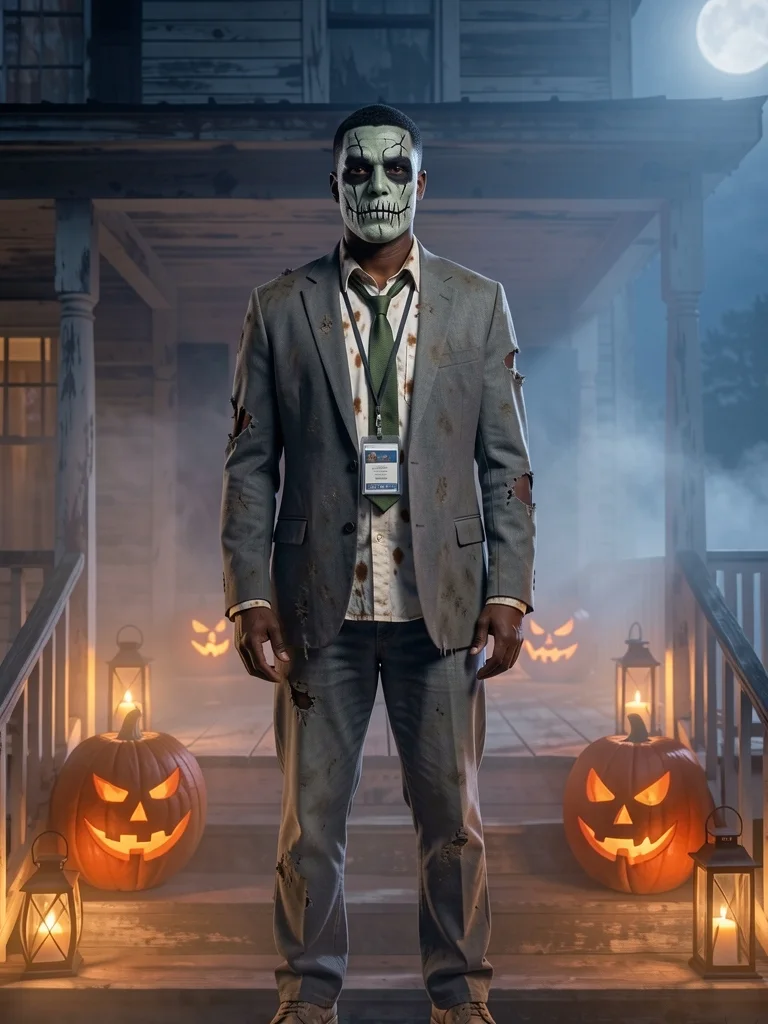
Office zombie
Rumpled grey suit, crooked tie, coffee spots and a lanyard. Monday, forever.
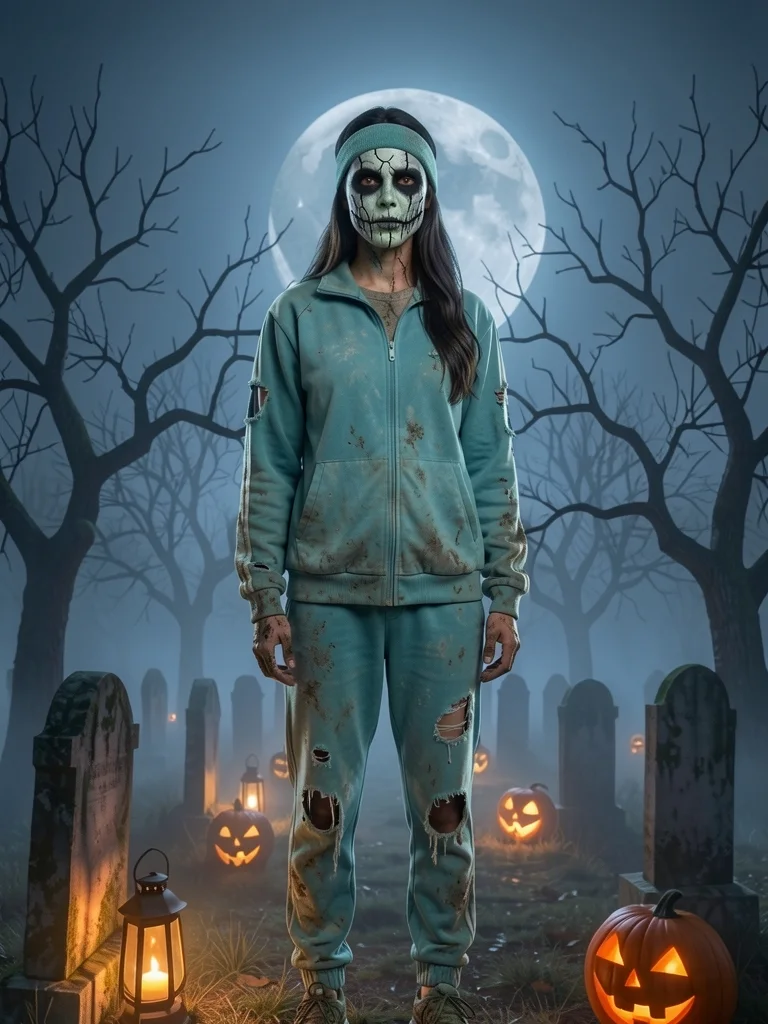
Jogger zombie
A torn teal tracksuit, a sweatband and muddy trainers. Still finishing that 5K.
Prefer fangs to face paint? The vampire filter keeps your skin tone and adds a cape.
For a pirate, a ghost or a skeleton, the AI Halloween costume generator has 12 costumes on one page.
How gory is the zombie filter?
Zombie effects online often go straight for wounds and blood. This zombie filter stays at the level of good theatre makeup, so the photo works for a family group chat, a school event or your profile picture.
- A pale grey-green base over your own features
- Dark, sunken shadows around the eyes
- Painted cracks on the cheeks and forehead
- Torn, dusty clothes; no blood, bites or wounds
Doing the face paint for real on the night? Try out shadow and lip shades first in makeup try on .
Zombie filter or a zombie makeup kit?
Plenty of people use the zombie filter to decide whether the real thing is worth an evening with a sponge and a mirror.
| Zombie filter | Makeup kit at home | |
|---|---|---|
| Time | About a minute per look | An hour or more, plus clean-up |
| Cost | First photo free, then 5 credits a look | Paint, brushes, wax and remover |
| Trying several looks | Four outfits from one photo | One face, one night |
| Torn clothes | Drawn on, nothing ruined | Old clothes you are willing to rip |
| Works for | Photos, invites and profile pictures | The party itself |
Many people do both: the zombie filter to pick the look, the kit for the night.
Build a horde, one zombie filter photo at a time
Group photos are refused so every face stays sharp. Make one each with the same place, then line them up.
Scare the group chat
Send the after first and wait for the replies, then the before.
A zombie profile picture
The selfie version shows the paint up close.
The party poster
Everyone’s zombie in one row, like the one above, with the date and the dress code.
Credit packs never expire and remove the small mark from free photos; see pricing for every pack and plan.
Zombie filter questions from the living
Is the zombie filter free?
Your first zombie photo is free with no account, at up to 768 px with a small weartryon.com mark. Sign in free for 10 welcome credits plus 2 per daily check-in; each look uses 5 credits, and a failed run is refunded.
Is there blood or gore?
No. The zombie filter uses theatrical face paint, painted cracks and torn, dusty clothes. There is no blood, no bite marks and no wounds, on any look.
Will people still recognise me?
Yes. The paint goes over your own face shape, eyes, hair and expression, so friends can tell who it is. Heavier paint does hide more than a witch or vampire look would.
Can I make the makeup stronger or lighter?
Not yet: every zombie filter look uses the same grey-green strength, tuned to stay recognisable. Pick a different look to change the clothes and the story.
How long does the zombie filter take?
Usually under a minute per look. Pick three looks and they are made one after another, so you can compare the classic, the prom and the office zombie side by side as each one lands.
Is this a live zombie filter for video?
No, it makes a finished photo you can download and post. It works on any photo you already have, not only on a live camera.
Which photo works best for the zombie filter?
A solo photo in even light, facing the camera, with your whole face visible and nothing over it. A selfie shows the face paint best; a full-body photo shows the torn clothes and boots too.
Can I post my zombie filter photo on TikTok or Instagram?
Yes. Download it and post it anywhere. For the classic reveal, post your before photo first and the zombie filter result second, or put both in one carousel.
Can kids use the zombie filter?
Yes, it is family-friendly. Use a photo you are allowed to use, one child per photo. Results that may show a child stay private: you can download them, but not share them in a vote link.
Your photo is used only for this run and results stay private for 30 days; the privacy policy explains the rest.
More ways to haunt a photo
It’s alive. Well, sort of.
One photo, one look, and the zombie filter does the rest. Your first one is free.
Try the zombie filter free