
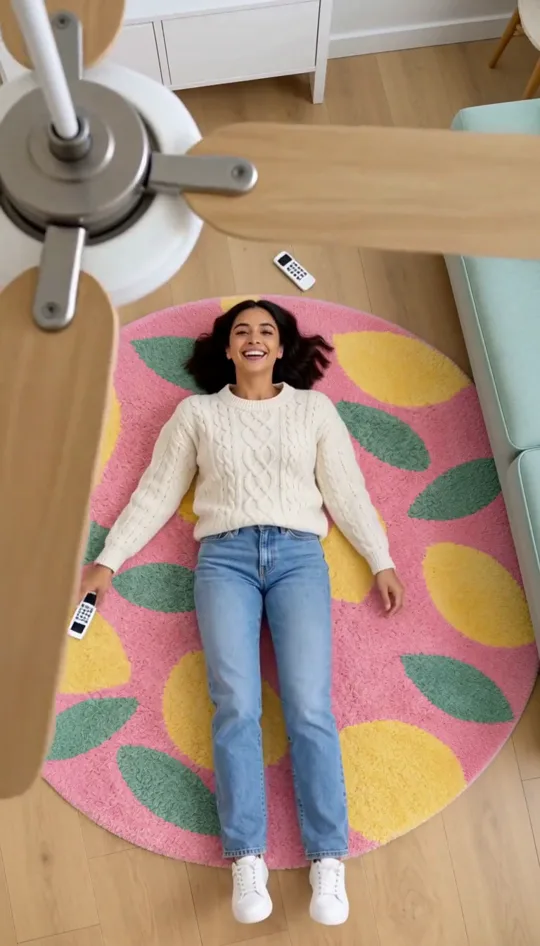
An AI ceiling fan transition is the clip filmed from the ceiling: you lie on a rug, a fan turns between you and the lens, and every time a blade sweeps past you are in a new outfit. Real creators tape a phone to the ceiling and change four times. Here you add one ordinary photo, pick a pack of four looks, and the AI ceiling fan transition is made for you in about three minutes, the room and the fan included.
- One normal photo
- Four looks
- Fan in every frame
- 14 seconds, vertical
Four looks, one per blade pass
The camera never moves and neither do you. Only the clothes change, each time a blade crosses the lens. These are the four looks of our AI ceiling fan transition sample.
- 1

Pass 1 · cream knit and jeans
- 2
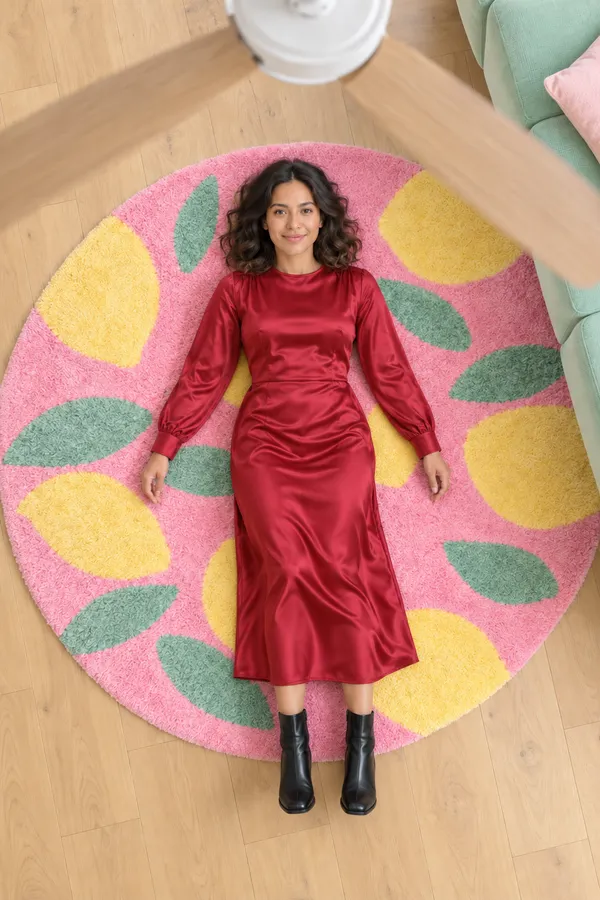
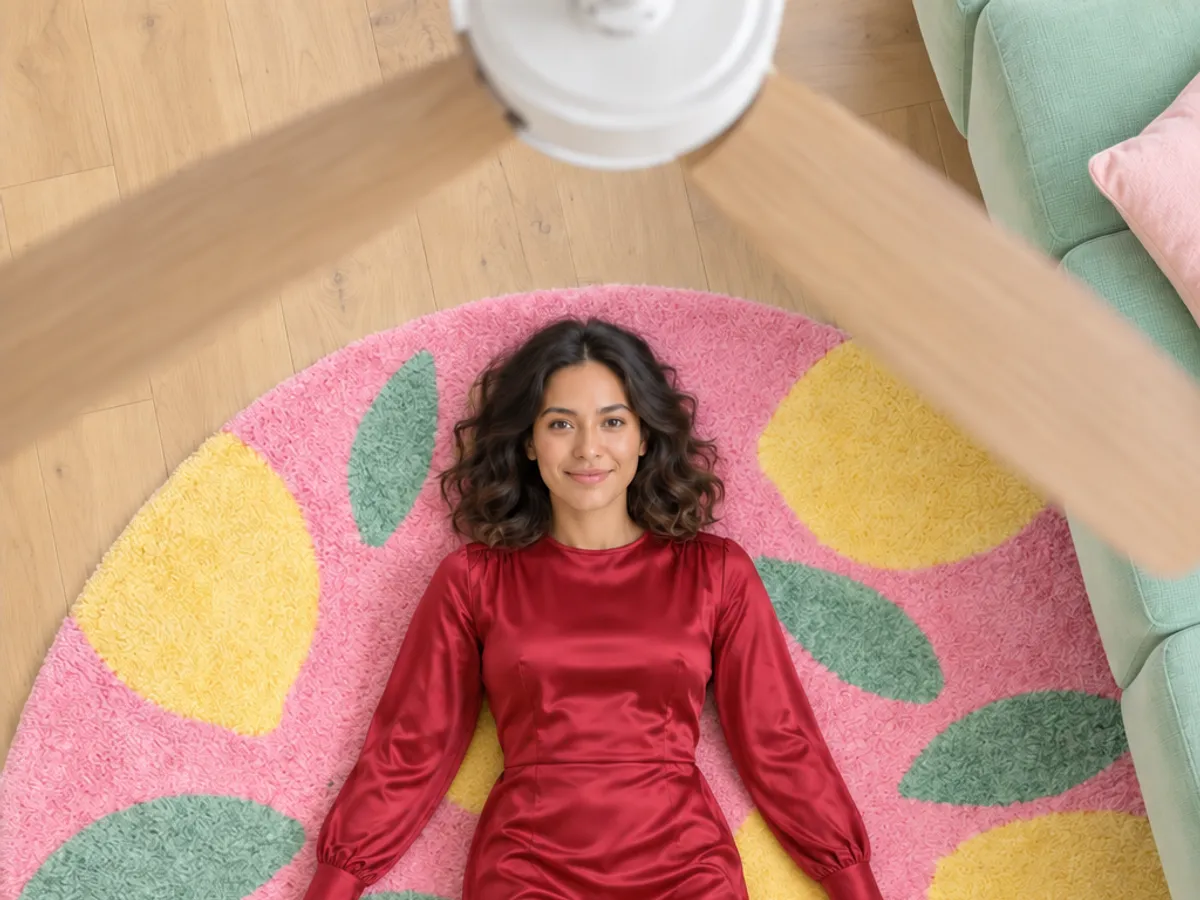
Pass 2 · cherry-red dress
- 3
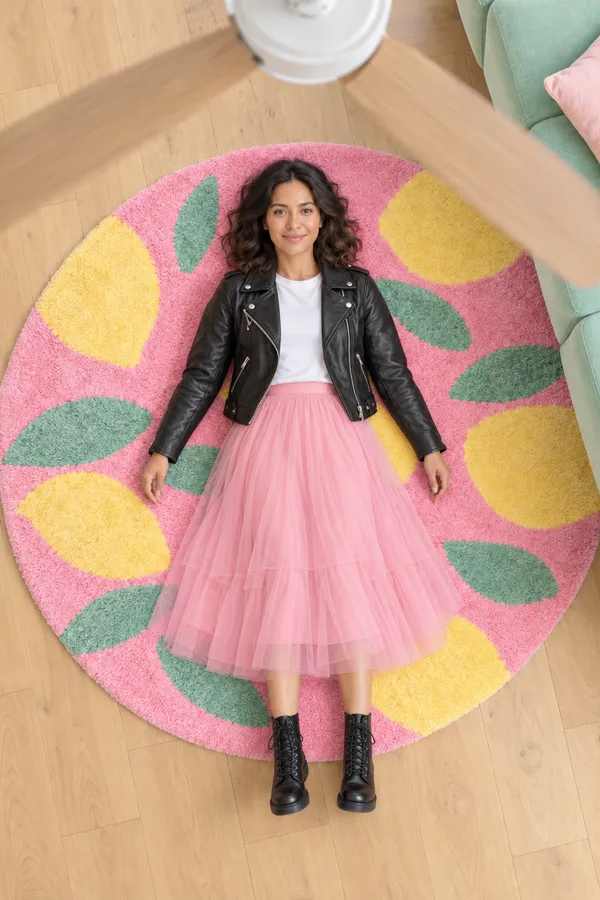
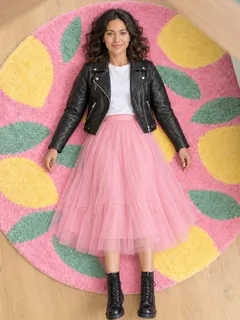
Pass 3 · leather and tulle
- 4
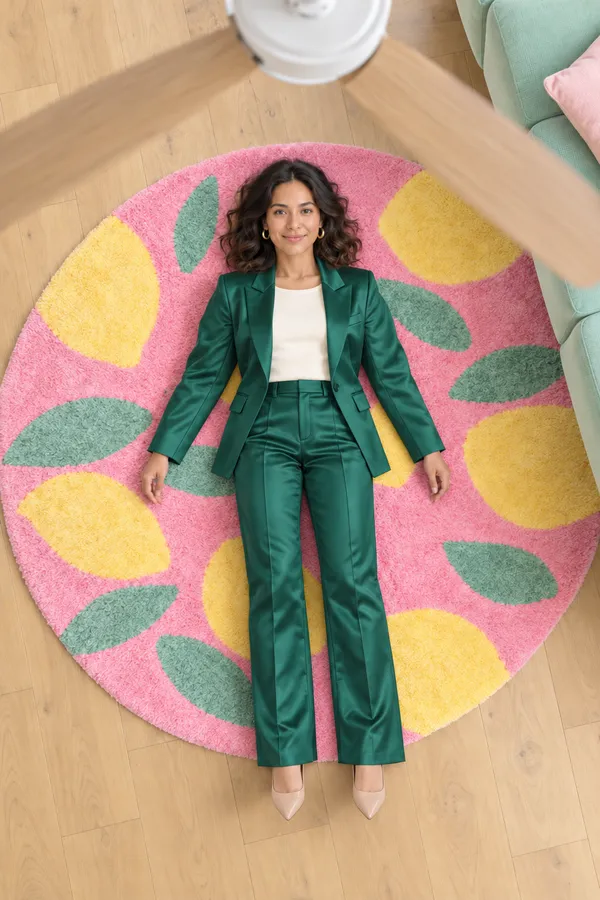
Pass 4 · emerald suit
Pick a pack of looks for your AI ceiling fan transition
Each pack is four real outfits, worn in this order. You see every look before you pay, and nothing is left to a typed prompt.



Want the costume as a photo first? Try the witch filter and keep the same face in both.
Three steps
How do you make an AI ceiling fan transition?
- 01
Add one photo of you
A clear, bright photo with your face easy to see. It does not need to be taken lying down; a normal standing photo or a selfie works.
- 02
Pick the pack
Choose the four looks. They are worn in order, so the last one is the reveal people replay.
- 03
Generate and post
The AI builds the room, the fan and the four blade passes: about 14 seconds of vertical video for TikTok, Reels or Shorts.
Why the blade pass hides the cut
A real ceiling fan blade is wide and close to the lens, so for a split second it covers almost the whole frame. That moment is where every outfit change in an AI ceiling fan transition happens. Because the room, the rug, your pose and your face are the same before and after, the eye reads it as one continuous shot, and people replay it to catch the change.
- 01The four looks are made as still frames first, so each AI ceiling fan transition lands exactly on the outfit you picked.
- 02Each pass is its own short clip between two of those frames; the clips are joined where a blade covers the lens.
- 03Big contrast between looks makes the reveal land: a knit, a red dress, leather, a suit.
- 04The last look is the one people remember, so the packs end on their boldest outfit.
Which photo works best for an AI ceiling fan transition?
- 01Face clear and well lit: no sunglasses, hat or heavy filter.
- 02One person in the photo. Group photos are not supported.
- 03Waist up or full body both work; the AI lays you down on the rug.
- 04Use your own photo, or one of an adult who said yes.
Where the ceiling fan transition came from
It started as a CapCut "fan transition" template in late August 2026, and the first AI ceiling fan transition clips appeared at the end of September, when one photo and four outfits replaced the phone taped to the ceiling (The Tab, 2026-09-28).
- 01
Late August
Filmed for real: phone above the bed, a fan turning, a cut on every blade.
- 02
End of September
AI versions spread: four outfits from one photo, the fan added by the model.
- 03
October
Autumn outfit rotations and Halloween costume packs, one look per pass.
Filming it yourself vs an AI ceiling fan transition
| With AI | Filming it yourself | |
|---|---|---|
| What you need | One photo of you | A ceiling fan, a phone mount, four outfits |
| Takes | One | Four, lying in exactly the same spot |
| Editing | None | A cut on each blade pass |
| Outfits | Any pack, including clothes you don’t own | What is in your wardrobe |
| Time | About three minutes | An afternoon |
What an AI ceiling fan transition costs
40 credits a second, all four looks included: 560 credits for a 14 second clip. Videos need an account with any plan or a one-time credit pack, and a failed clip is refunded.
Packs never expire; compare them on pricing .
Want an elevator, clothes rain or a snap instead? Every move is in the AI video clothes changer .
One outfit change while standing? A snap or a spin is an outfit transition from any full-body photo.
AI ceiling fan transition questions
Do I need a photo taken from above?
No. Add any clear photo of yourself, even a standing one. The AI lays you on the rug and films you from the ceiling.
Do I need a real ceiling fan?
No. The fan, the room and the blade passes are all made by the AI.
How many outfits are in one clip?
Four, one per blade pass, in about 14 seconds. You pick them as a pack.
Will it still look like me?
Your face, hair and skin tone come from your photo and stay the same in all four looks.
Can I do an AI ceiling fan transition for Halloween?
Yes. The Halloween pack has two witches, a vampire and a zombie, with your face uncovered in each.
How much does it cost?
A 14 second clip is 560 credits (40 a second). It needs any plan or one-time pack, and a failed clip gives its credits back.
How long does it take?
Usually three to four minutes. Keep the page open, or come back to it and the clip picks up where it was.
Does it work for men?
Yes. Any adult can use it; the His looks pack has four men’s outfits.
Can I post it on TikTok or Reels?
Yes. You get a vertical 9:16 MP4. Add your trending sound in the app when you post.
Is anything revealing allowed?
No. Every look is fully dressed, and every video is checked before it is saved.
Can I choose my own four outfits?
Packs only for now, so every AI ceiling fan transition lands on looks we have tested. For one outfit of your own, use a snap or a spin on the outfit transition page.
Why is it 14 seconds?
Two seconds to roll off the sofa and switch the fan on, then about three seconds per look, the rhythm of the trend: long enough to see each outfit, short enough that people watch it twice.
Photos and videos stay private to you; the privacy policy has the details.
More ways to make a reveal
One photo, four looks, one fan
Your AI ceiling fan transition is one photo away: pick a pack and let the blades do the changing. No ladder, no tripod, no second take.
Make my fan video