
Ghost mannequin photos from one product shot
Upload a garment on a mannequin, a person, a hanger or a table. Get it back hollow, on pure white. One ghost mannequin takes about a minute.
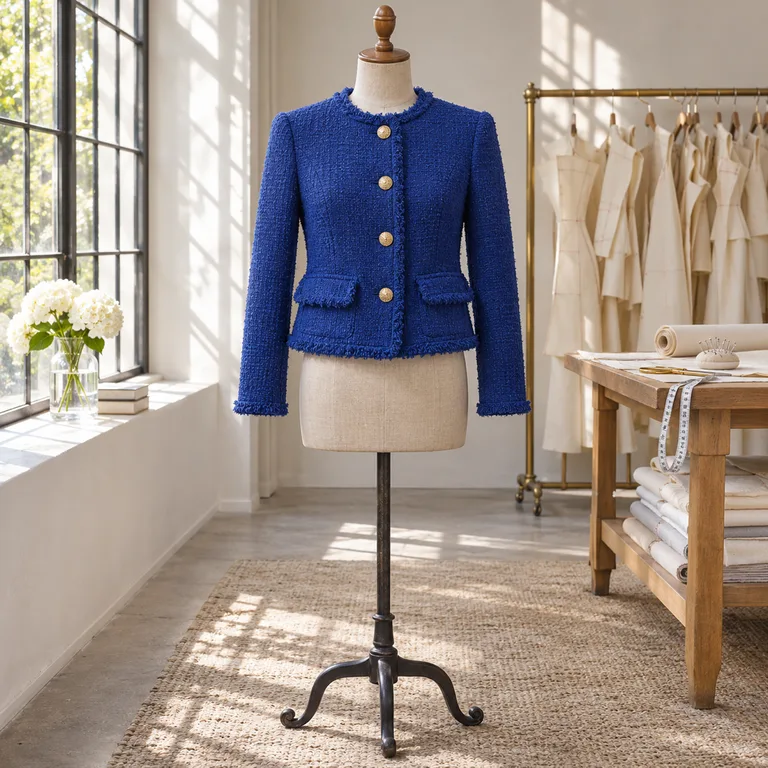
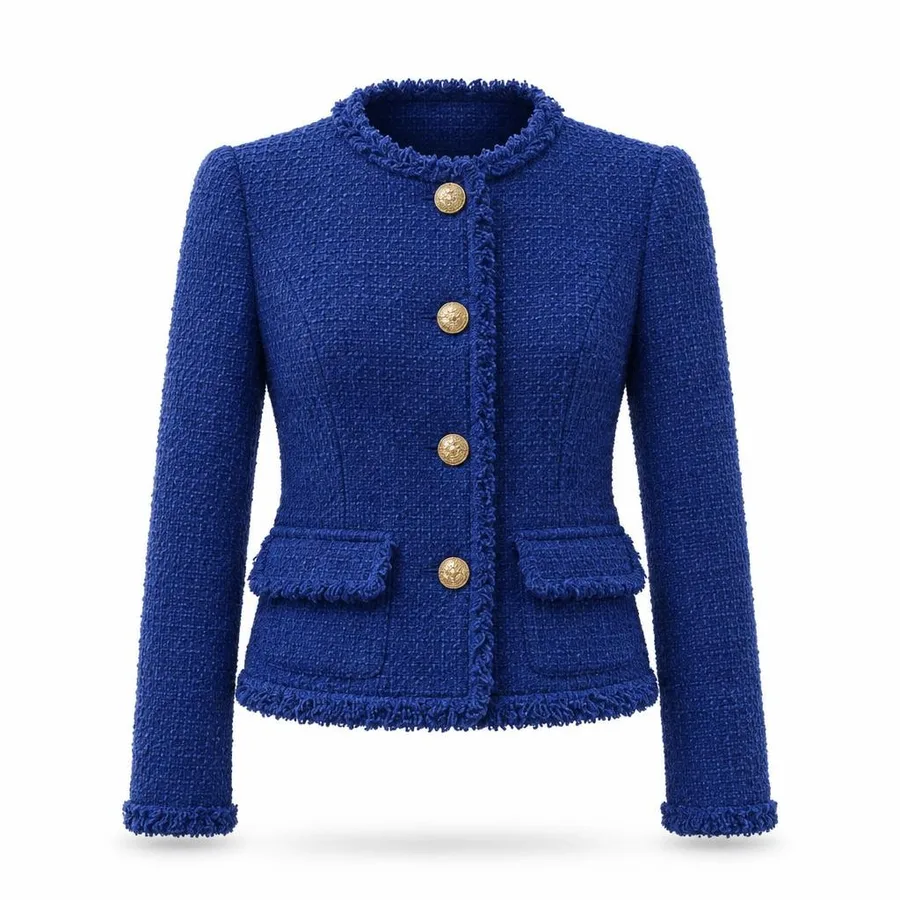
Free samples
- Front view
- Whole garment in frame
- Sharp enough
Size1024 × 1024
Quality
!Check small text and tone-on-tone embroidery before you list.
Shop sizes
Listing use comes with Pro
What a ghost mannequin keeps, and what it drops
A ghost mannequin photo keeps the shape a body gave the garment and drops everything that held it up: the form, the stand, the hanger, the arms. Shoppers see how the piece hangs and nothing else.
⟷
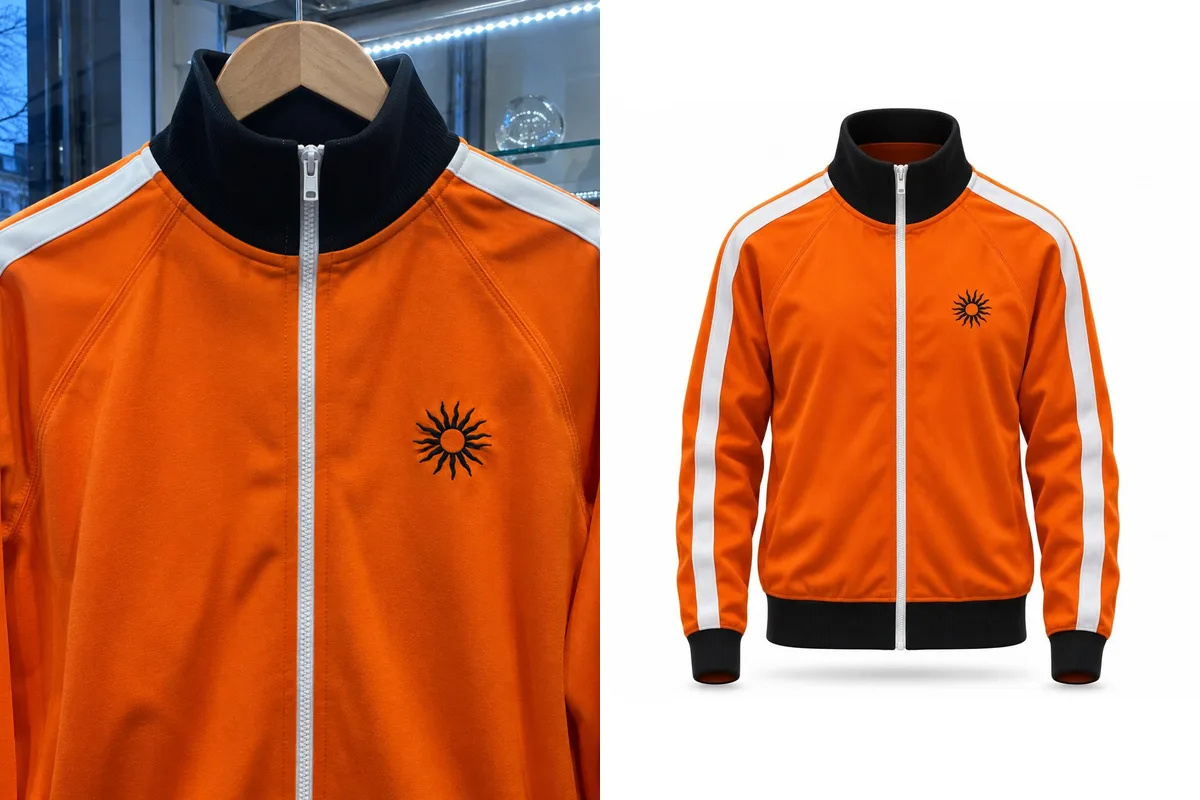
The classic starting point for a ghost mannequin. In our test of 20 real product photos, every front-on mannequin shot came back clean, museum display cases included.
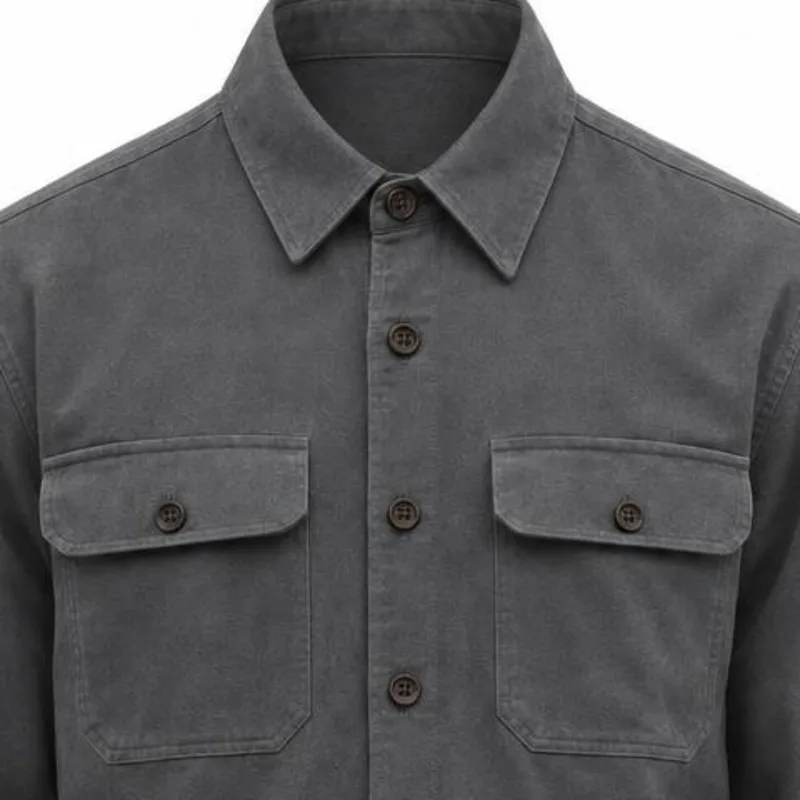
The fabric inside a ghost mannequin collar was never in your photo.
A studio shoots the garment twice, once on the form and once inside out, and joins the two in Photoshop. That join is the neck joint. Here the inside back is drawn in for you.
Which photo makes the best ghost mannequin?
The result can only show what the photo shows. Three things decide it: the angle, how much of the garment is in frame, and how sharp the file is. A phone photo is enough when the short side is 600 pixels or more.
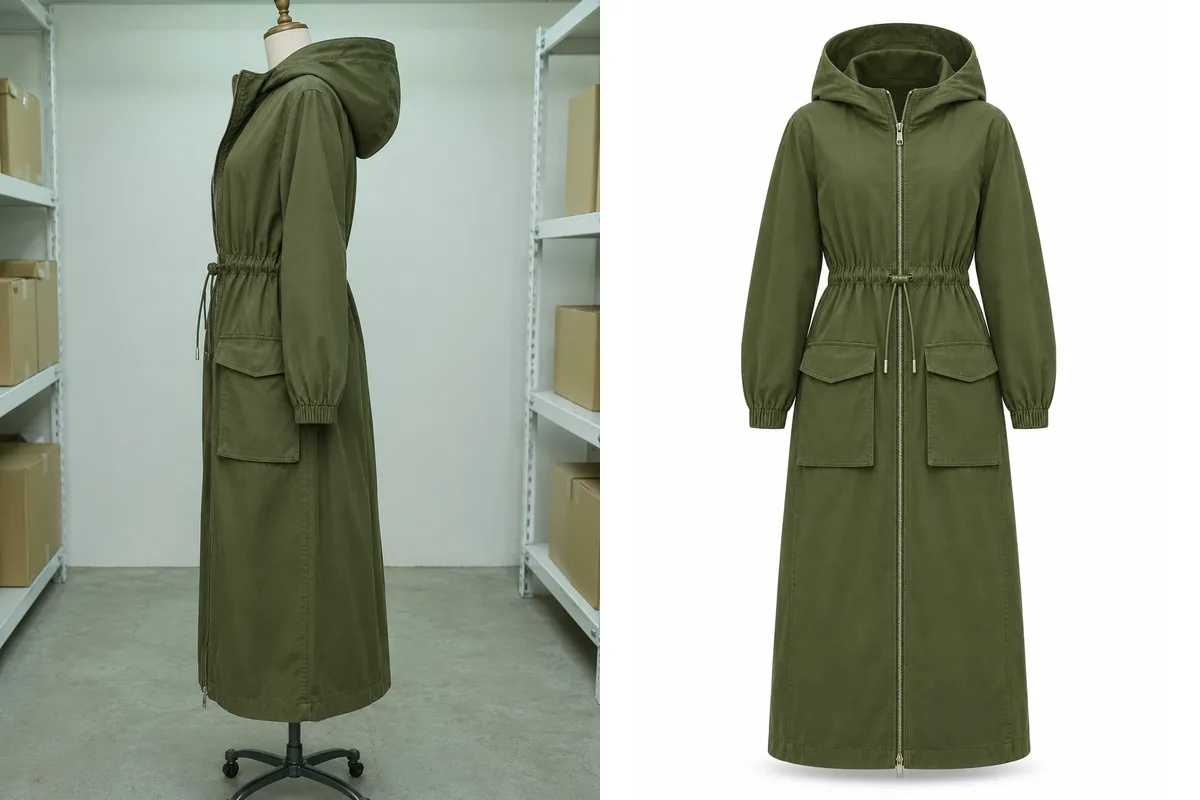
Shot from the side
The front is rebuilt from a guess. Here one side pocket became two front pockets.
Hem or cuffs cut off
Whatever the frame crops out is made up. This black hem and these cuffs were never in the photo.
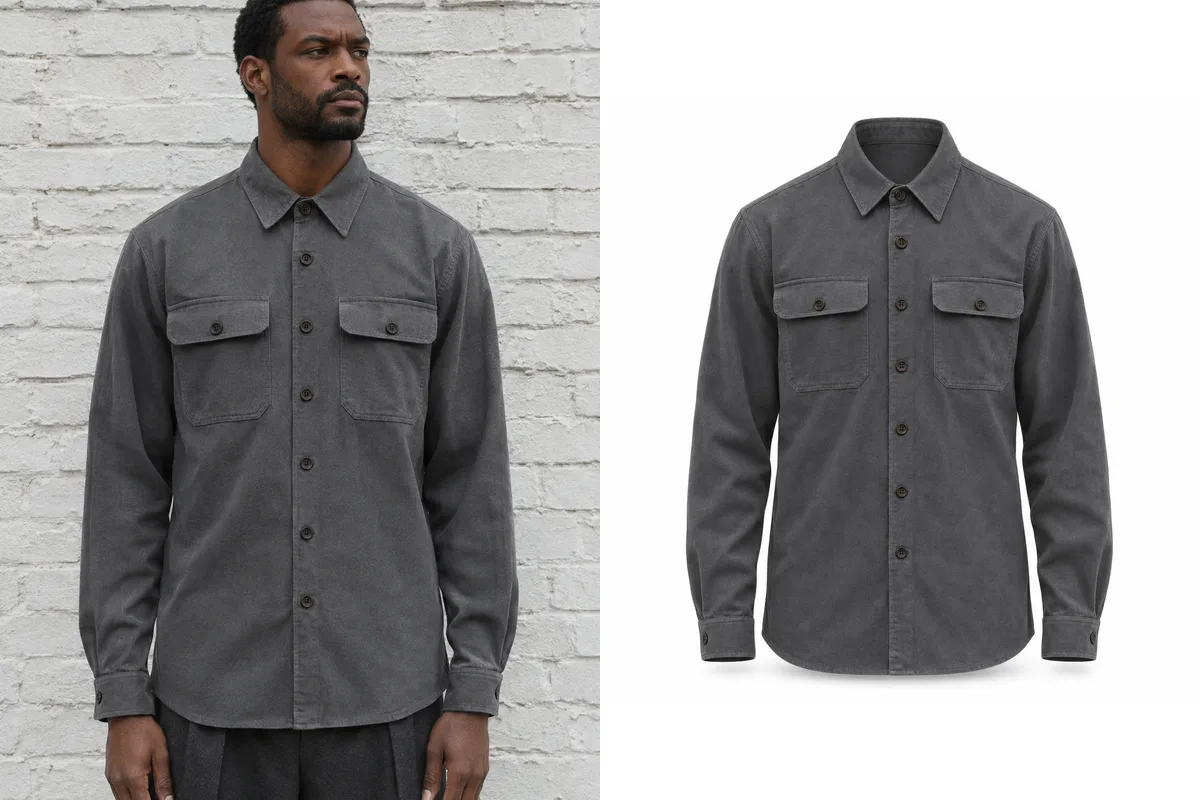
Front on, all of it
Buttons, darts and cuffs carry over as they are, and the ghost mannequin needs no retouching.
Two details to check on every ghost mannequin.
On sharp photos like the two below, small print and tonal stitching came through. On two of the 20 real seller photos in our test they did not, and making the photo again did not fix either one.
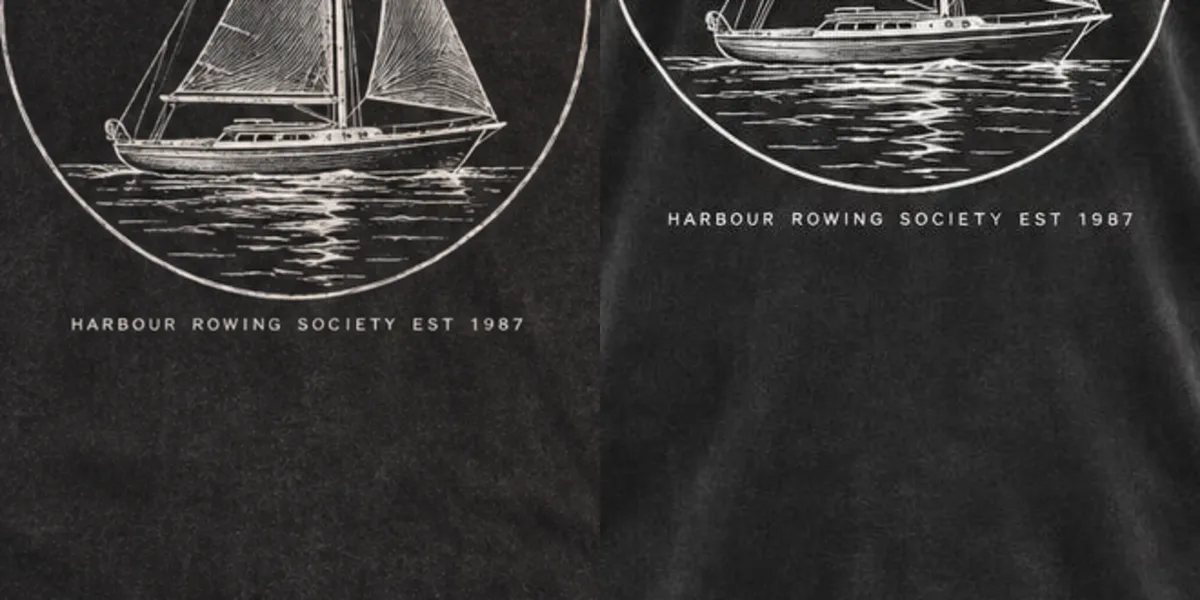
Very small text
Here the line under the drawing stayed exact. On a softer photo in our test the same kind of line came back misspelled, so read it on the ghost mannequin at full size.
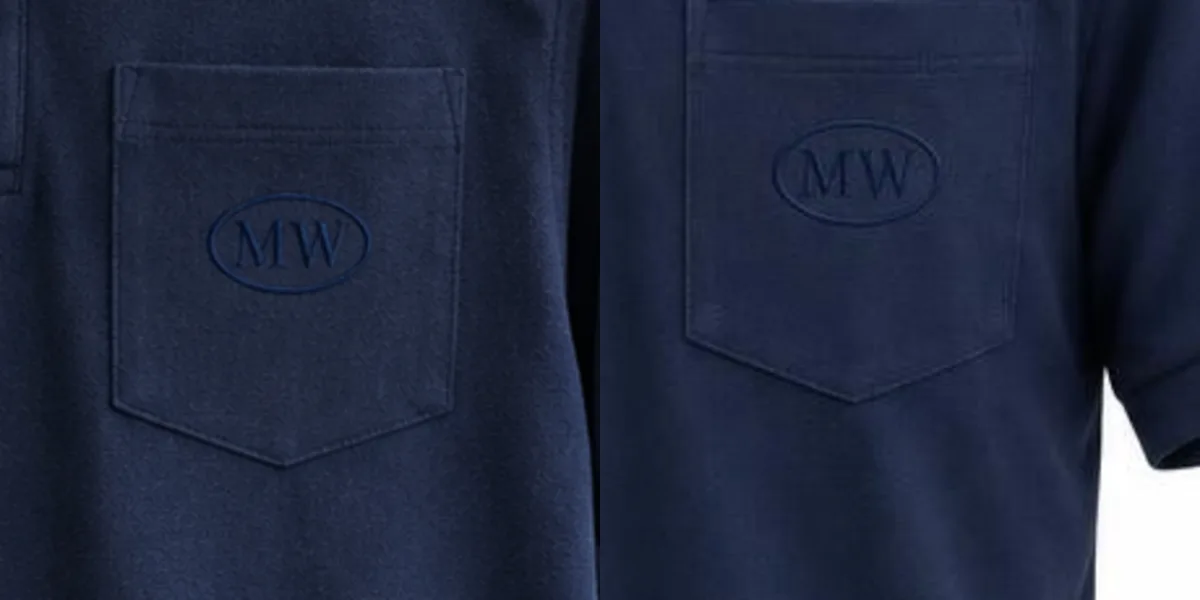
Tone-on-tone embroidery
Here the navy monogram survived, a little fainter. On a busy shop photo in our test, stitching in the fabric’s own colour vanished. Contrast logos are kept on a ghost mannequin.
Photoshop, a retoucher, or AI?
| Do it in Photoshop | Send to a retoucher | Ghost mannequin here | |
|---|---|---|---|
| Photos you shoot | 2 to 4 per garment | 2 per garment | 1, back optional |
| Wait | 10 to 30 minutes each | 6 to 12 hours | About a minute |
| Cost per image | Your time | $0.49 to $1.79 | 70 credits |
| Neck label | Real | Real | Only if your photo shows it |
Photoshop
Fits when you already shoot the inside-out frame and need the real neck label in every image.
A retoucher
Fits a large catalogue with true labels and a day to wait. You still shoot two frames per garment.
Ghost mannequin here
Fits one phone photo and a listing that goes up today. Check small print before you publish.
Retouching prices and turnaround: Path and Color Clipping price pages, checked November 10, 2026. Editing time: FASHN guide, same date.
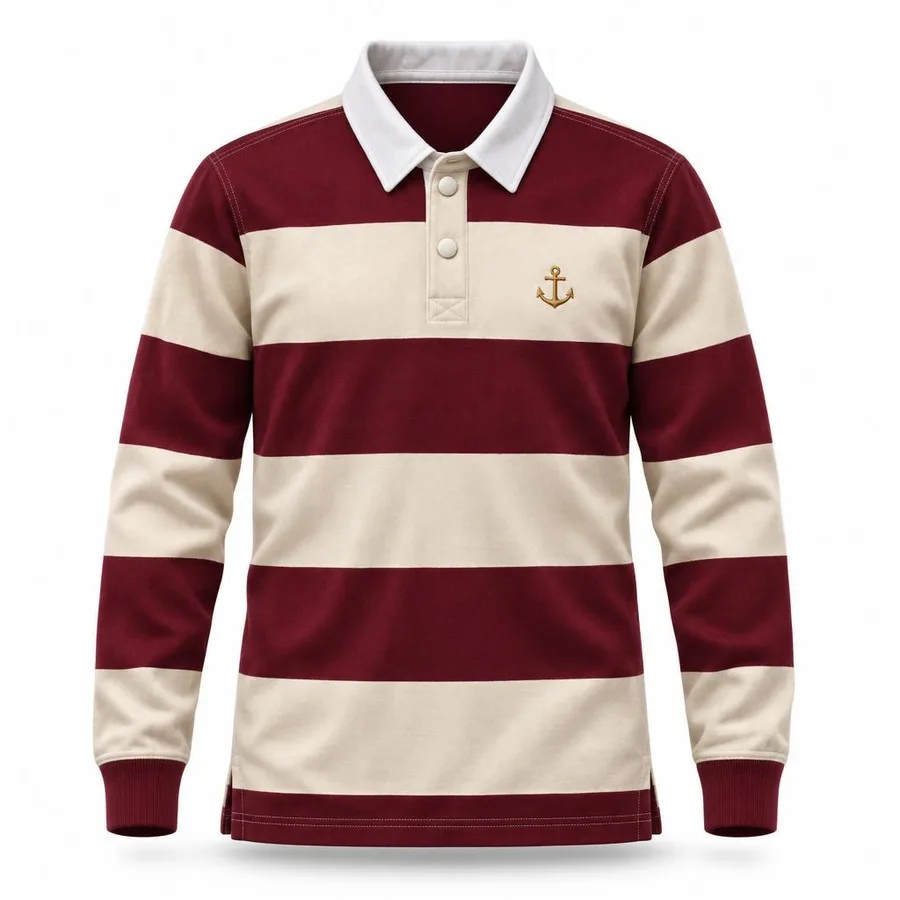
Three checks before a ghost mannequin goes in your shop.
Each ghost mannequin can be exported per shop under Shop sizes, padded to fit and never cropped, so the garment keeps its proportions on Amazon, Etsy, Shopify, eBay, Instagram and TikTok Shop.
- Pure white backgroundAmazon’s seller blog asks for RGB 255, 255, 255 on main images in most cases.
- Garment fills the frameThe same blog suggests the product fill 85% or more of the image.
- Etsy: keep one unedited photoEtsy Help asks for at least one unedited photo of the actual item, so keep your original in the listing beside the ghost mannequin.
Amazon: “6 tips for taking product photos”, sell.amazon.com. Etsy: image requirements, Etsy Help. Both checked November 10, 2026; check the current rules before you publish.
Now put someone in it.
A clean ghost mannequin is a good starting photo for an on-model shot of the same garment. Put it on a model sends the ghost mannequin to the studio as the product photo, so you do not upload it twice.
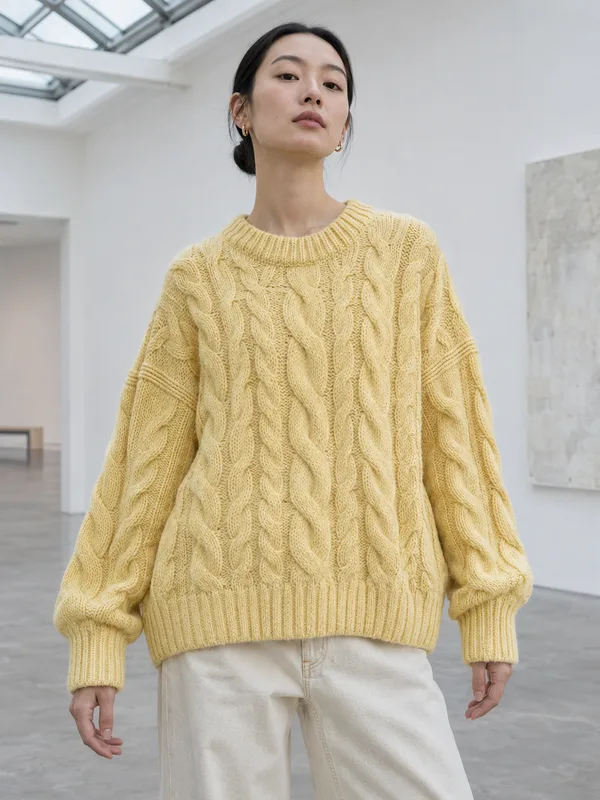
Your photo
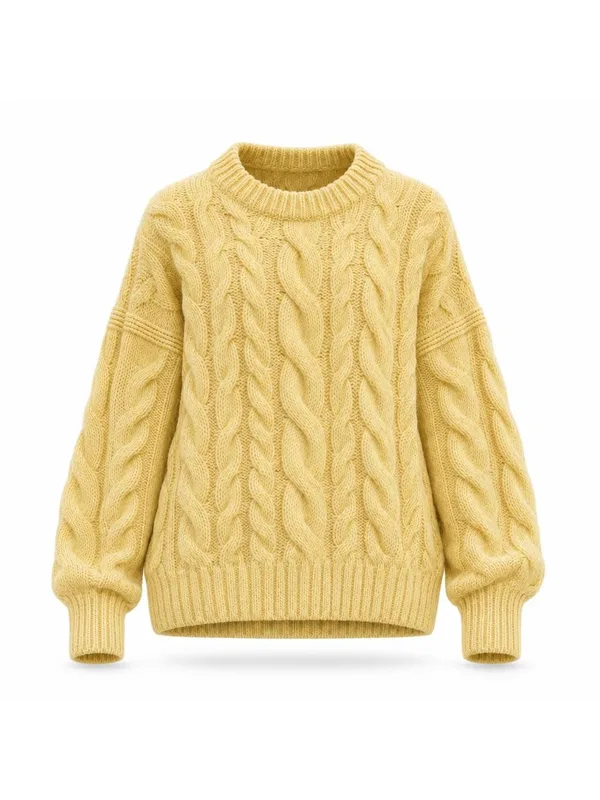
Ghost mannequin
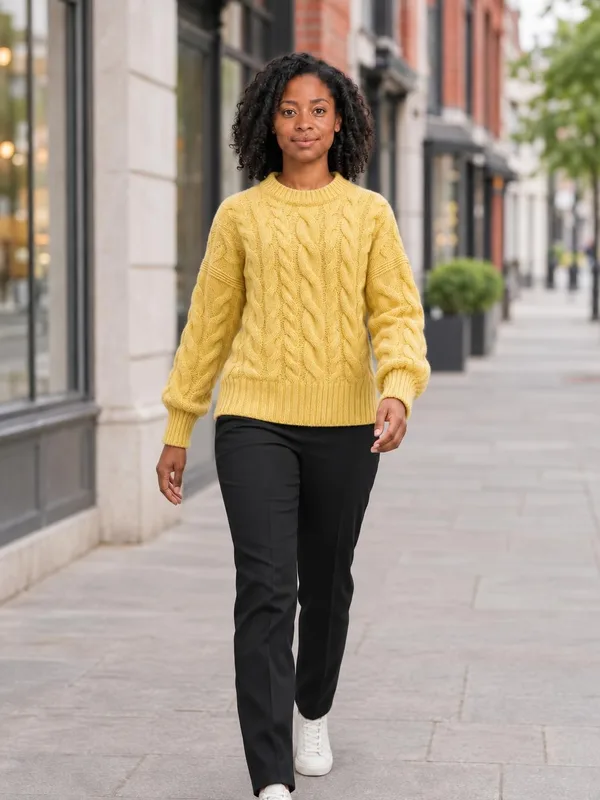
On a studio model
Open the AI fashion model studio. Or choose who wears it first on the AI model for clothes page.
Questions sellers ask about ghost mannequin shots
What is a ghost mannequin?
A ghost mannequin, also called an invisible mannequin or hollow man shot, is a product photo where the garment keeps a worn, three-dimensional shape but nothing is inside it. Clothing shops use it as a clean main image.
Do I need to buy a ghost mannequin?
No. Physical ghost mannequins for sale have removable neck, chest and arm panels and cost a few hundred dollars. Here a photo of the garment on any dress form, on a person, on a hanger or laid flat works. What matters is a front view with the whole garment in frame.
Is there a ghost mannequin app?
There is nothing to install. This ghost mannequin AI runs in the browser on a phone or a computer, so you can shoot and upload from the same phone.
Will the back of my garment be real?
Only if you add a back photo. It is made as a second shot from that photo and charged as one more image. Without a back photo, no back shot is made; the back is never guessed.
Is the ghost mannequin tool free?
The samples show real results with no sign-in and no credits. Photos of your own products cost 70 credits at Standard (1:1) and need any plan or credit pack; a photo that fails is refunded.
Which garments work as a ghost mannequin?
Shirts, tees, knitwear, jackets, coats, skirts, jeans and dresses all came back usable in our test, including a sheer-sleeved dress and a museum gown. Scarves, shoes and bags are not what this tool is for.
How long does one ghost mannequin take?
About a minute in our test, 36 to 57 seconds a photo. Keep the tab open while it runs; a finished photo is also saved to your History.
Can I use these photos in my shop?
Commercial use in shop listings comes with Pro. Check each marketplace’s current image rules before you publish.
What happens to the person in my photo?
They are removed from the result, and a result that still shows a person is thrown away and refunded. Uploads follow our privacy policy.
Which garments are not supported?
Swimwear, lingerie and underwear product photos are declined, and so are photos of children.
Planning a whole catalogue? Compare plans and credits.